

TerminalWidget
Brett Terpstra · Developer Tools
Independent analytics for this App Store listing. AppTracker is not affiliated with Brett Terpstra.
Chart standing · US
What changed · US
Listing changes AppTracker has observed for this app in this storefront — new versions, price moves, rating shifts, and store copy.
### CHANGED - Widget gallery description mentions Home Screen and Lock Screen sizes - Open at Login no longer shows a redundant "Open at Login enabled/disabled" note under the On/Off toggle; failures are still reported ### NEW - Lock Screen widgets support rectangular and circular sizes on iPhone using the same target as the Home Screen widget - Lock Screen rectangular shows text-first content (icon plus stripped text, optional progress), then progress, image, or a mini chart when text is absent - Lock Screen circular shows a progress ring when percent is set, otherwise the SF Symbol icon or a letter fallback - Widget Recipes item in the menu bar menu opens the recipes page ### IMPROVED - Lock screen images load once and fall back to the empty state if decode fails - Lock Screen text starts larger and scales down to fit, with a higher ceiling when --fit-text is set ### FIXED - Lock screen text strips ANSI from widget titles as well as body text - Lock Screen short text no longer stays tiny when --fit-text only bumped the text style - iCloud sync from the Mac no longer marks a widget as synced until CloudKit confirms the upload, so iPhone widgets stop getting stuck on an older revision - Running the app binary with no arguments while TerminalWidget is already running no longer launches a second menu bar instance; it prints the help text to stderr and exits with status 2 - terminal-widget symlink with no arguments now correctly detects whether the app is running instead of always reporting that it is
Price & rating history · US
Reconstructed from the listing changes AppTracker has observed in this storefront. A field is charted once it has changed more than once, and each line starts at the value it moved from.
Average rating · ★ 3.50 now · 2 changes on record
Ratings breakdown · US
The star breakdown behind this app's rating in this storefront.
In-app purchases · US
No in-app purchases.
Screenshots

Keywords this app targets
Search terms AppTracker associates with this app — estimates, not search volume. ❝ = in the app's title; a highlighted number is its current position for that term.
Similar apps
Competitors and close alternatives, as estimated by AppTracker.
 Scriptable
Simon B. Støvring
2 shared topics
Scriptable
Simon B. Støvring
2 shared topics
 Widgeto (was API Widgets)
Kamil Kujawinski
1 shared topic
Widgeto (was API Widgets)
Kamil Kujawinski
1 shared topic
 Note Widget
Francis Bonnin
Note Widget
Francis Bonnin
 Widgets -for App Store Connect
iService Ottner Rock OG
Widgets -for App Store Connect
iService Ottner Rock OG
 Any Text · Widgets
Sindre Sorhus
Any Text · Widgets
Sindre Sorhus
 Decision Widget
Francis Bonnin
1 shared topic
Decision Widget
Francis Bonnin
1 shared topic
 Color Widgets
Digital Charms, Inc.
Color Widgets
Digital Charms, Inc.
 Widgetsmith
Cross Forward Consulting, LLC
Widgetsmith
Cross Forward Consulting, LLC
About
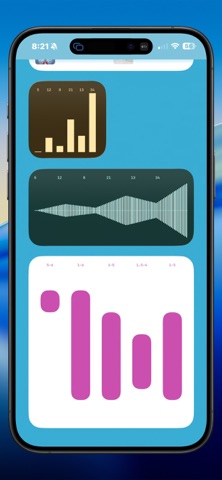
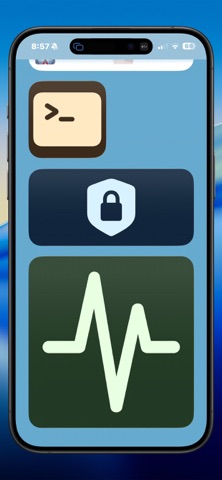
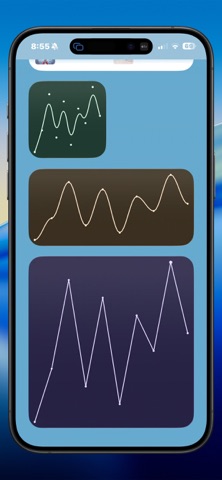
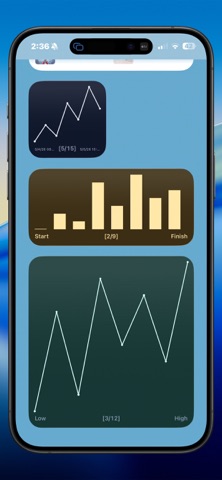
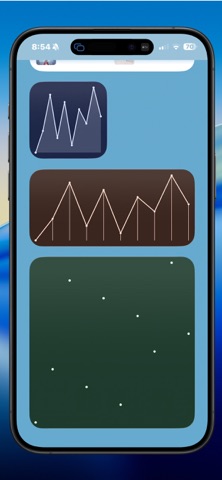
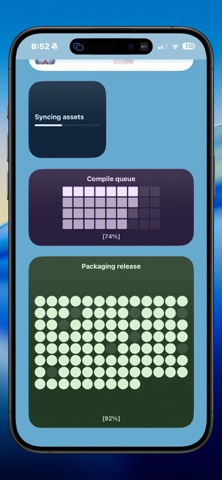
Scripters rejoice! Now you can have output from your scripts, AppleScripts, and Shortcuts display in widgets on iOS (and sync to and from your Mac via iCloud). You can see progress indicators, charts, graphs, icons, tables, and more. All controllable via Shortcuts or with a URL scheme (and a CLI on Mac). This is a universal purchase for the Mac, iOS, and Watch apps.
What's new · 2.1.9
### CHANGED - Widget gallery description mentions Home Screen and Lock Screen sizes - Open at Login no longer shows a redundant "Open at Login enabled/disabled" note under the On/Off toggle; failures are still reported ### NEW - Lock Screen widgets support rectangular and circular sizes on iPhone using the same target as the Home Screen widget - Lock Screen rectangular shows text-first content (icon plus stripped text, optional progress), then progress, image, or a mini chart when text is absent - Lock Screen circular shows a progress ring when percent is set, otherwise the SF Symbol icon or a letter fallback - Widget Recipes item in the menu bar menu opens the recipes page ### IMPROVED - Lock screen images load once and fall back to the empty state if decode fails - Lock Screen text starts larger and scales down to fit, with a higher ceiling when --fit-text is set ### FIXED - Lock screen text strips ANSI from widget titles as well as body text - Lock Screen short text no longer stays tiny when --fit-text only bumped the text style - iCloud sync from the Mac no longer marks a widget as synced until CloudKit confirms the upload, so iPhone widgets stop getting stuck on an older revision - Running the app binary with no arguments while TerminalWidget is already running no longer launches a second menu bar instance; it prints the help text to stderr and exits with status 2 - terminal-widget symlink with no arguments now correctly detects whether the app is running instead of always reporting that it is
Details