

Keystrike: Piano Sight Reading
Alexandru Ghita · Education
Independent analytics for this App Store listing. AppTracker is not affiliated with Alexandru Ghita.
Chart standing · US
What changed · US
Listing changes AppTracker has observed for this app in this storefront — new versions, price moves, rating shifts, and store copy.
A small tune-up. • Bug: any learner could tap straight into a grown-up's profile, no questions asked. Fix: switching into a grown-up profile now asks the same grown-up question as making one. Sorry, kids: the sums are still not optional. • Plus a few quiet repairs behind the scenes. Your progress, recordings and pieces are exactly where you left them.
In-app purchases · US
What this app sells inside itself, grouped by kind and priced for this storefront.
Screenshots



About
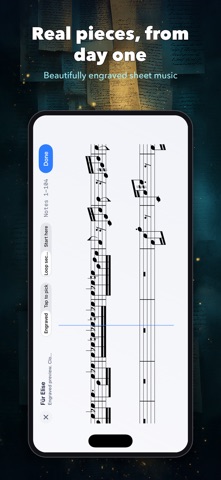
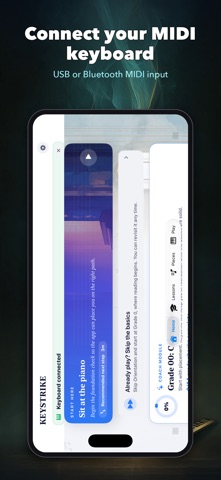
Build a piano practice habit you can hear. Keystrike brings graded lessons, sight-reading and real pieces together in an iPad-first workspace. KNOW WHAT TO PRACTICE NEXT Follow a daily plan that brings together your next lesson and focused work on difficult passages. Track completed lessons, retained skills and practice time. Progress means music learned, not points collected. PLAY, READ AND LISTEN • Follow graded lessons from your first notes through more advanced skills. • Practice sight-reading, rhythm, ear training, scales and chords. • Read engraved sheet music or follow falling notes. • Slow pieces down, practice hands separately and repeat sections. • Import your own MIDI files and turn them into playable sheet music. • Record practice and export MIDI. CHOOSE YOUR INSTRUMENT Use a compatible USB or Bluetooth MIDI keyboard for precise note input, or start with the on-screen piano. Acoustic mode records your piano performance for on-device analysis after you finish. Recognition varies with your piano and room; MIDI is recommended for precise chord and two-hand tracking. THREE DAYS TO EXPLORE New users get three days of full access. After the trial, Ode to Joy remains playable. A single in-app purchase unlocks the full app. No subscription and no automatic charge when the trial ends. Existing seven-day trials keep their original expiry. Restore an existing purchase from Settings. MADE FOR FOCUSED PRACTICE iPad first, also available on iPhone and Mac. No account, advertising or tracking. Your recordings and progress stay on your device, with backup and export options. Available in English, German, French, Spanish, Japanese, Simplified Chinese and Hindi. Keystrike's grades describe its own learning progression; they are not an external examination qualification.
What's new · 1.4.2
A small tune-up. • Bug: any learner could tap straight into a grown-up's profile, no questions asked. Fix: switching into a grown-up profile now asks the same grown-up question as making one. Sorry, kids: the sums are still not optional. • Plus a few quiet repairs behind the scenes. Your progress, recordings and pieces are exactly where you left them.
Details