

EmpiricCommander
Burlac Mihail · Productivity
Independent analytics for this App Store listing. AppTracker is not affiliated with Burlac Mihail.
Chart standing · US
What changed · US
Listing changes AppTracker has observed for this app in this storefront — new versions, price moves, rating shifts, and store copy.
- On iPad, long-pressing a file or folder on an SFTP or SMB connection closed EC; the menu opens again. - With the iPhone Duo folded, the file list reaches the side bar instead of stopping short of it.
Screenshots




About
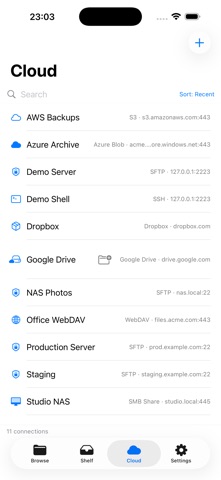
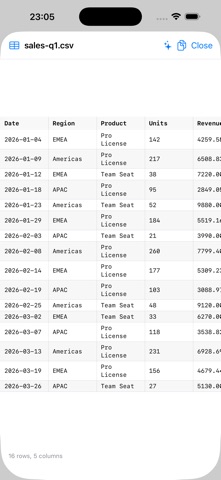
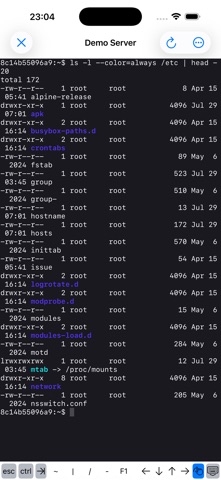
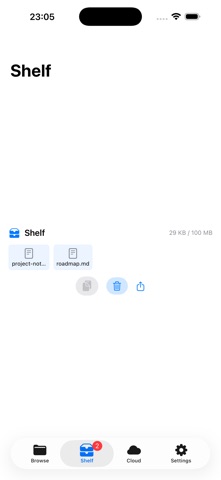
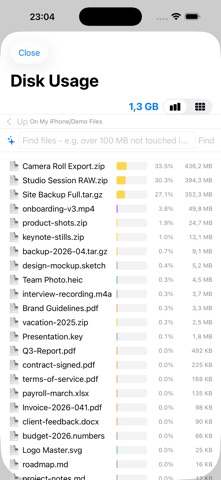
A real file manager for iPad - and for Mac and iPhone. Two panes side by side, drag between them, and move files where they belong without exporting or round-tripping through the Files app. PHOTOS OFF YOUR PHONE The Files app cannot see your photo library. EmpiricCommander can: browse your albums like folders and copy them to a USB-C drive, your NAS, SFTP, S3 - any destination, no account required. Originals are copied byte for byte with EXIF and location intact, a second run copies only what is new, and Free Up Space deletes a photo only after the copy has been read back and verified. THE WHOLE LOOP, NO MAC NEEDED Clone a repository over HTTPS or SSH, open a file in the built-in editor with syntax highlighting, stage your changes, commit, and push - on iPad and iPhone, without a separate terminal app. A commit log with a rendered branch and merge graph shows what happened, per-file diffs show exactly what changed, and merge conflicts are resolved in-app, per file. A REAL SSH TERMINAL An interactive shell to your server, from inside the file manager, on Mac, iPad and iPhone. iOS ships no ssh binary, so this is a full client implementation rather than a wrapper around a system tool. CONNECT TO WHAT YOU ALREADY HAVE SMB network shares (your NAS, Mac, or Windows PC), SFTP with key authentication, S3 and S3-compatible storage, FTP, WebDAV, Azure Blob, Dropbox, and more - browsed, copied, and moved like local folders. Your connection list syncs across your devices through iCloud; passwords stay in the Keychain and are never uploaded. BUILT FOR REAL FILE WORK - Dual-pane on Mac and iPad, with a tab bar on iPhone. - Streaming transfers, including remote to remote, with progress that survives leaving the app. - Folder Sync in four modes, and Compare Folders with SHA-256 verification so you can prove a copy is byte-for-byte identical. - Batch rename with regex, numbering and dates, previewed before it runs. - Browse inside ZIP archives like folders; create ZIP and TAR/GZ; read password-protected archives. - Duplicate finder, disk-usage treemap, checksums, permissions editor. - Quick Look plus rich preview for CSV, JSON, Markdown, YAML, TOML and source code. - Full hardware-keyboard support on iPad: arrows, shift-selection, Tab, Esc, Return, Space. ON-DEVICE AI Describe a batch rename in plain words, or summarize a document, using Apple Intelligence. It runs entirely on your device: no account, no API key, no per-use cost, and your filenames and file contents never leave the device. ONE PURCHASE, THREE PLATFORMS Buy once and use EmpiricCommander on your Mac, iPad and iPhone - one device of each type. Not a subscription. This major version and all of its updates are included. PRIVACY No tracking. Diagnostics are strictly opt-in.
What's new · 2.16.1
- On iPad, long-pressing a file or folder on an SFTP or SMB connection closed EC; the menu opens again. - With the iPhone Duo folded, the file list reaches the side bar instead of stopping short of it.
Details