

AR Studio: Draw, Trace & Paint
MILANKUMAR HIMMATBHAI KACHHADIYA · Utilities
Independent analytics for this App Store listing. AppTracker is not affiliated with MILANKUMAR HIMMATBHAI KACHHADIYA.
Chart standing · US
What changed · US
Listing changes AppTracker has observed for this app in this storefront — new versions, price moves, rating shifts, and store copy.
Ratings breakdown · US
The star breakdown behind this app's rating in this storefront.
In-app purchases · US
No in-app purchases.
Screenshots




About
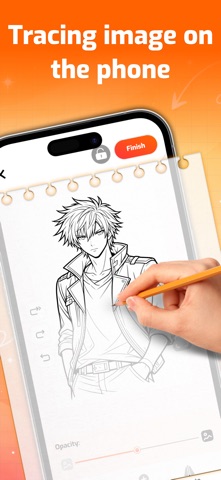
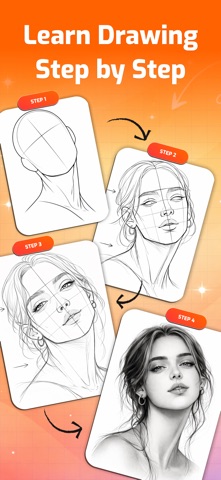
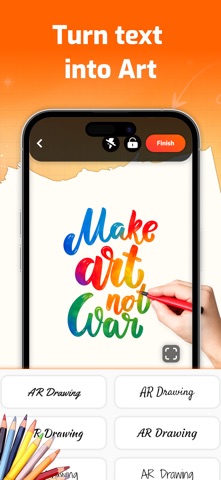
AR Studio: Draw, Trace & Paint helps you learn and practice drawing with AR camera tracing, photo-based sketch guides, and simple tools built for daily use. Place your phone over paper, choose an image, and trace with a stable AR overlay. Import your own photos or use ready-made categories like anime, portraits, animals, flowers, vehicles, and more. Adjust visibility and alignment so lines are easier to follow in different lighting conditions. Whether you are a beginner starting from zero or a hobby artist improving line quality, this app helps you sketch faster and more confidently. Key Features : • AR camera tracing for real-paper drawing • Photo to sketch reference support • Opacity, contrast, and brightness controls • Zoom, rotate, and positioning tools • Grid guidance for better proportions • Template library across popular categories • Flashlight support for low-light tracing • Record drawing process with video/timelapse • Save and share your artwork Best For • Beginners learning how to draw • Daily sketch and line-art practice • Anime and portrait drawing • Tattoo and design draft tracing • Students improving hand control and proportion Practice consistently, track your progress, and turn ideas into cleaner sketches with AR Studio: Draw, Trace & Paint.
What's new · 1.0.1
- Bug fixes & improvements
Details