
Chart standing · US
What changed · US
Listing changes AppTracker has observed for this app in this storefront — new versions, price moves, rating shifts, and store copy.
Minor bugs fixed
Ratings breakdown · US
The star breakdown behind this app's rating in this storefront.
Screenshots

About
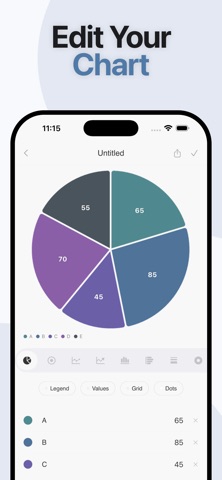
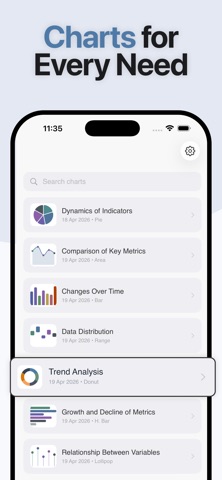
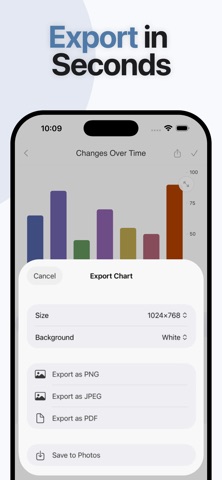
VIA is a chart maker and graph builder for iPhone and iPad. Enter your numbers, choose a chart type, customize colors and labels, then export a clear visual as PNG, JPEG, or PDF — without spreadsheets or complicated design tools. Need a line or area chart for a report, a pie or donut chart for class, a bar chart for a presentation, a scatter chart for correlations, a radar chart for multi-variable comparison, or a Gantt chart for project planning? VIA gives you a fast data visualization workflow on mobile. CHART TYPES • Line and area charts — trends over time • Bar, horizontal bar, and stacked bar charts — comparisons • Pie and donut charts — proportions • Radar (spider) charts — multi-variable data • Scatter charts — correlations • Gantt charts — timelines and schedules Enter titles and values, and the graph updates as you type. Switch chart types anytime to find the best visualization for your data. HOW TO MAKE A CHART Create a new chart Enter your data (titles, values; dates for Gantt) Pick a chart type Customize colors, title, legend, values, and grid Preview fullscreen, then export or share DESIGN CONTROLS • Clean editor built for iPhone and iPad • Custom colors for points, series, and labels • Toggle legend, values, and grid on or off • Edit titles and values with live preview • Fullscreen view before you export • Presentation-ready visuals for slides and reports EXPORT AND SHARE • Export as PNG, JPEG, or PDF • Save to Photos • Share via the iOS share sheet to Messages, Mail, Notes, Files, and other apps on your device • Choose export size for presentations, schoolwork, or posts • Re-open a chart later, update data, and export again ORGANIZE YOUR PROJECTS • Keep all charts and graphs in one list • Search saved charts quickly • Update or delete projects anytime • Revisit past visuals when you need the same format with new numbers WHO IT IS FOR • Students and teachers — homework, class projects, lesson visuals • Professionals — reports, meeting slides, status updates • Project managers — Gantt timelines and schedules • Marketers, freelancers, and researchers — simple analytics and experiment charts • Anyone who needs a fast chart maker or graph creator on iPhone or iPad WHY VIA Many chart apps are either too limited or overloaded with menus. VIA focuses on one job: turn numbers into a clear chart, customize it, and export it. A practical alternative to building charts only in spreadsheets or heavy design tools. Enter data. Pick a type. Customize. Export. Chart building and graph making, simplified for iPhone and iPad. FAQ Q: What chart types does VIA support? A: Line, area, bar, horizontal bar, stacked bar, pie, donut, radar (spider), scatter, and Gantt. Q: Can I export charts as PDF or images? A: Yes. Export as PNG, JPEG, or PDF. Save to Photos, or share through the iOS share sheet. Q: Do I need Excel, Numbers, or Google Sheets? A: No. Enter data directly in VIA. No spreadsheet skills or desktop software required. Q: Does the chart update while I edit? A: Yes. Change values, colors, title, legend, grid, or chart type and see the graph update in real time. Q: Can I make Gantt charts on my phone? A: Yes. Add tasks with start and end dates to build timelines and project schedules on iPhone or iPad. Q: Is VIA available on both iPhone and iPad? A: Yes. VIA is built for iPhone and iPad, so you can create and export charts on either device. Q: Can I reuse a saved chart with new data? A: Yes. Open a saved chart from your list, update the numbers, and export again whenever you need. Q: How do I share a chart with someone else? A: Export or use the share sheet to send your chart through Messages, Mail, Notes, Files, or other apps on your device. Download VIA and turn your numbers into clear charts and graphs in seconds. Terms of Use: https://www.apple.com/legal/internet-services/itunes/dev/stdeula/ Privacy Policy: https://emilsvetlichnyy.github.io/chartBuilderPrivacy/
What's new · 7.0
Minor bugs fixed
Details