

MIDISynth
Stefan Hollekamp · Music
Independent analytics for this App Store listing. AppTracker is not affiliated with Stefan Hollekamp.
Chart standing · US
Screenshots




About
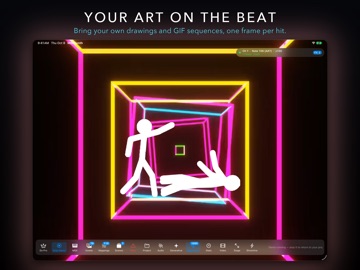
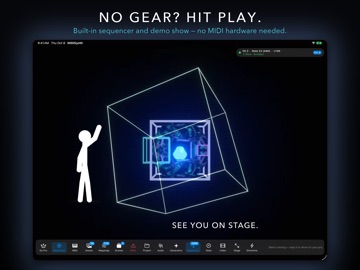
MIDISynth turns your MIDI controller into a visual instrument. Press a key, trigger a visual. Hold it, and the effect holds with you. Release, and it resolves. Everything is driven by the notes you are already playing, in real time, on a Metal-accelerated engine built for stage work. It was written for one specific frustration: the big VJ suites can do anything, but getting a single one-shot visual mapped to a single note takes ten minutes of patching. MIDISynth does that in seconds — and then stays out of the way. WHAT IT DOES • Map any MIDI note, chord or CC to a visual effect • Effects respond to velocity, note length and pitch • Real-time rendering on Apple's Metal framework • Output to a second or third display for projection or LED walls • Scenes hold a complete setup — switch instantly between songs • Blackout and Panic controls for when a show goes sideways VISUAL EFFECTS Pulse, Flash, Image Overlay, Video Overlay, Background Animation, Shader Background Pulse, Mandelbrot Infinite, Geometric Image, Note Geometry and animated Text. Layer them, tint them, blend them, and drive every parameter from the incoming MIDI. BRING YOUR OWN MEDIA Import your own images and videos into the asset library and trigger them like any other effect. Video overlays support transparency, so logos and mattes composite cleanly over what is underneath. GENERATIVE ENGINE Beyond triggered clips, MIDISynth can generate visuals from the musical structure itself. Entities and ribbons spawn from what you play, following palettes and motion profiles you define, reacting to gesture and phrasing rather than to individual notes. AUDIO REACTIVE Not every instrument sends MIDI. Feed a microphone or line-in signal and MIDISynth will analyse it live — frequency bands, beat detection, level — and use that to drive the same effects. Audio is analysed in real time and never recorded. BUILT-IN SEQUENCER A piano-roll sequencer for programming cues in advance. Import and export standard MIDI files to move material between MIDISynth and your DAW. RECORD YOUR OUTPUT Capture the visual output to H.264, HEVC or ProRes 422, at 1080p, 1440p, 4K or matching your output resolution. WORKS OFFLINE, ALWAYS MIDISynth has no network access at all. No account, no login, no analytics, no tracking, nothing to sync. Your projects, media and settings stay on your device. On stage this matters: the app does not care whether the venue WiFi works. FREE AND PRO Everything above is real, and a lot of it is free. The free tier gives you full MIDI input, three scenes, five visual effects, ten imported assets and output on your main display — enough to play a real set. MIDISynth Pro unlocks the rest: every visual effect and the shader library, the Generative Engine, MIDI Learn, audio-reactive mappings, song switching, unlimited scenes and assets, output on external displays, and video recording. Pro is available as a monthly or yearly subscription, or as a one-time Lifetime purchase that includes Family Sharing and all future updates. REQUIREMENTS macOS 14 or later, or iPadOS 17 or later. A MIDI controller is recommended but not required — the built-in sequencer and audio input both work standalone. TERMS & PRIVACY Terms of Use (EULA): https://www.apple.com/legal/internet-services/itunes/dev/stdeula/ Privacy Policy: https://www.smart-app.dev/MIDISynth/support/privacy.html
Details