

Debriefed: Video Scrubber
David Haygarth · Photo & Video
Independent analytics for this App Store listing. AppTracker is not affiliated with David Haygarth.
Chart standing · US
In-app purchases · US
No in-app purchases.
Screenshots

Keywords this app targets
Search terms AppTracker associates with this app — estimates, not search volume. ❝ = in the app's title; a highlighted number is its current position for that term.
Similar apps
Competitors and close alternatives, as estimated by AppTracker.
 Motion Track: Video Stabilizer
Morning Avocado LLC
1 shared topic · 1 shared title word
Motion Track: Video Stabilizer
Morning Avocado LLC
1 shared topic · 1 shared title word
 Videocraft: Video Maker
Mauricio Eastmond
1 shared topic · 1 shared title word
Videocraft: Video Maker
Mauricio Eastmond
1 shared topic · 1 shared title word
 Video Delay Instant Replay
michal bojanowicz
1 shared title word
Video Delay Instant Replay
michal bojanowicz
1 shared title word
 KeyMotion: Dance & Zoom Video
冰 韩
1 shared title word
KeyMotion: Dance & Zoom Video
冰 韩
1 shared title word
 Video Pause
Pachyderm Software
Video Pause
Pachyderm Software
 Coach Video Analyzer
Harald Niklaus
1 shared title word
Coach Video Analyzer
Harald Niklaus
1 shared title word
 Video to Photo FrameCutter
Tomohiko Saitoh
Video to Photo FrameCutter
Tomohiko Saitoh
 LiveCut: Video to Live Photos
润杰 潘
1 shared title word
LiveCut: Video to Live Photos
润杰 潘
1 shared title word
About
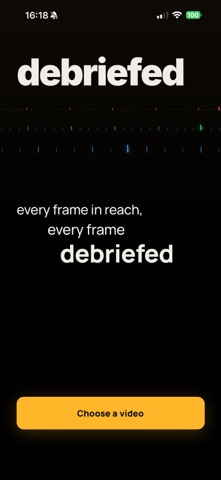
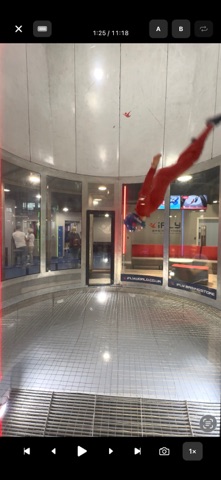
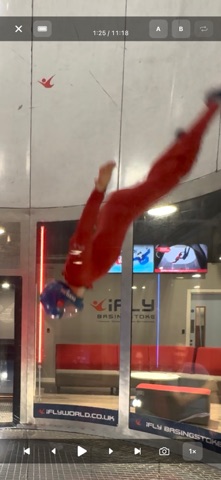
Debriefed turns video seeking into a gesture, not a button. Drag your finger across any video from your Photos library. Horizontal motion moves through time; vertical position controls the speed. High up, you move at a tenth of normal speed and land precisely on the frame you want. Down low, you can fly across a five-minute clip in a second. Built for anyone who pores over footage — coaches reviewing technique, editors finding cuts, parents pulling the perfect photo from a home movie, athletes studying body position, musicians checking timing, wind-tunnel skydivers debriefing a session. FEATURES — Variable-speed gesture scrub, 0.1× to full speed, based on finger height — Playback rates from 0.25× up to 4×, including half-steps — Single-frame step forward and back — A/B loop markers — pick two points in the clip and loop between them — Pinch to zoom 1× to 5×, anchored to the point between your fingers — Two-finger drag to pan the zoomed view — Double-tap left or right half of the video to skip ±5 seconds — Save any frame to your Photos as a full-resolution image — Jump to start or end of clip in one tap — Scrub progress bar with A/B markers — Portrait and landscape supported; landscape-lock chip for phone-stand use — Haptic feedback on scrub start, direction change, and clip start/end PRIVACY Debriefed has no accounts, no ads, no tracking, no network connections. Your videos never leave your device. Open a video and start scrubbing.
What's new · 1.0.1
New: Settings screen, accessible via the gear icon on the home screen. • Reverse scrub direction — drag right to scrub backward, if that suits you better • Haptic intensity — off, light, medium, or firm • Auto-hide timeout — choose how long the controls stay visible (or never hide) • Double-tap skip distance — 3, 5, 10, or 15 seconds Your preferences are saved automatically.
Details