

DreamSticker: Cutout&Remove
Wuhan Yuhang Technology Co., Ltd · Graphics & Design
Independent analytics for this App Store listing. AppTracker is not affiliated with Wuhan Yuhang Technology Co., Ltd.
Chart standing · US
What changed · US
Listing changes AppTracker has observed for this app in this storefront — new versions, price moves, rating shifts, and store copy.
Urgent fixes for some bugs
Ratings breakdown · US
The star breakdown behind this app's rating in this storefront.
Screenshots




About
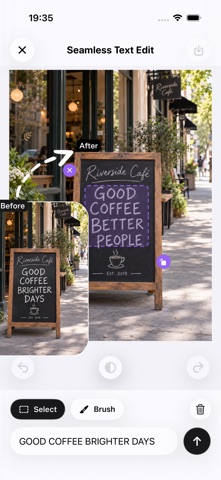
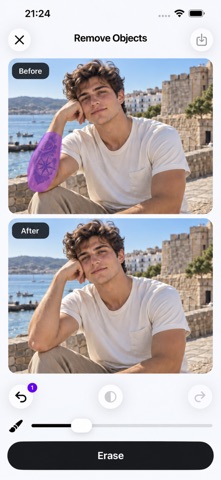
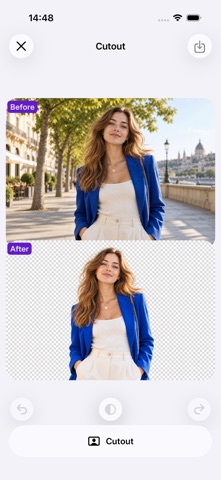
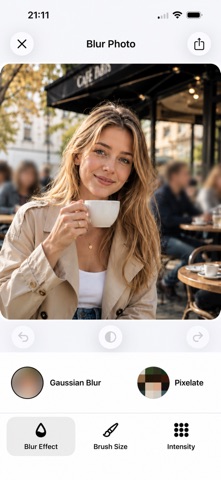
AI Photo Editor makes it easy to clean up, retouch, and transform your photos with powerful AI tools. Remove unwanted people and objects, erase distracting elements, remove backgrounds, replace photo backgrounds, edit text inside images, blur private information, and more—all in just a few taps. Whether you're editing travel photos, screenshots, posters, product images, or scanned documents, our AI photo editing tools help your changes blend naturally into the original image. 【AI PHOTO EDITING TOOLS】 1. AI Object Remover Remove unwanted objects, people, clutter, and distractions from photos. Simply brush over what you want to erase and let AI reconstruct the background naturally. 2. Remove People from Photos Got photobombers or strangers in the background? Quickly erase unwanted people and keep the focus on what matters. 3. Magic Eraser Clean up distracting elements, marks, and unwanted details with an easy-to-use AI eraser. 4. Edit Text in Photos Fix text directly inside screenshots, posters, images, and scanned documents. AI intelligently matches the original font, size, layout, and visual style to make edits look natural. 5. Background Remover Automatically detect people, products, and other subjects and remove the background with precision—even in detailed or complex images. 6. Change Photo Background Replace backgrounds without retaking the photo. Create cleaner portraits, product photos, profile pictures, and social media images in seconds. 7. Blur & Censor Photos Protect your privacy by quickly hiding names, phone numbers, addresses, conversations, account details, and other sensitive information. 8. Stitch Photos & Screenshots Combine multiple photos or screenshots into one long image. Perfect for conversations, tutorials, guides, receipts, and content sharing. 9. 3×3 Photo Grid Split images into a 3×3 grid for social media posts and creative layouts. 【MADE FOR EVERYDAY EDITING】 TRAVEL PHOTOS Remove tourists, strangers, signs, clutter, and distracting objects for cleaner, more polished travel shots. SCREENSHOTS Correct titles, dates, names, labels, or other text while preserving the original look and layout. POSTERS & GRAPHICS Update event details, product names, promotional copy, prices, or other information without recreating the entire image. DOCUMENTS & SCANS Correct text mistakes in photographed documents and scanned images while keeping edits visually consistent with the original. PRODUCT PHOTOS Remove distracting objects and backgrounds to create clean product images for stores, marketplaces, and social media. PORTRAITS Remove unwanted people, cut out subjects, and replace backgrounds to quickly create a fresh new look. PRIVACY PROTECTION Blur or censor personal information before sharing screenshots and photos online. SOCIAL MEDIA Create cleaner photos, long screenshots, and 3×3 grids ready for Instagram, messaging apps, and other social platforms. 【POWERFUL AI, SIMPLE EDITING】 No complicated photo editing skills required. Choose a tool, select what you want to change, and let AI handle the rest. From quick photo cleanup to background removal and text editing, you can create natural-looking results with just a few taps. Clean up your photos. Remove what you don't want. Fix what doesn't look right. Make every image look better. Terms of Use: https://www.apple.com/legal/internet-services/itunes/dev/stdeula/
What's new · 3.8
Urgent fixes for some bugs
Details