

Simple Viewer
Shanghai STLink Corporation · Utilities
Independent analytics for this App Store listing. AppTracker is not affiliated with Shanghai STLink Corporation.
Chart standing · US
What changed · US
Listing changes AppTracker has observed for this app in this storefront — new versions, price moves, rating shifts, and store copy.
Simple Viewer now opens email files (.eml). • See the subject, sender, recipients, and date at the top of the message. • Inline images show in place. Remote images and trackers are blocked, so nothing loads from the internet. • See all attachments with their sizes. Tap an attachment to open it in the app. Emails attached to an email open too. • HTML emails keep their own layout. They follow Dark Mode when the email supports it. • Plain-text emails and emails in other languages and character sets display correctly. • Open .eml files from the Files app, or with the + button in Simple Viewer. Also in this version: • Fixed: In an Excel file opened from inside a ZIP archive, the Notes button now opens the notes list.
In-app purchases · US
No in-app purchases.
Screenshots


About
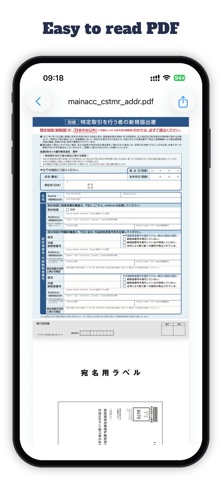
Simple Viewer opens files. Quietly, quickly, and without asking for anything in return. Share any file from any app — Mail, Messages, Files, a browser, a cloud drive — and Simple Viewer renders it the way it was meant to be read. No account. No upload. Files stay on your device. It is designed for the moment when you just need to see what's inside a file. RENDERED WITH CARE • PDF with smooth scrolling and pinch-to-zoom • Markdown with typography that reads • Source code with precise syntax highlighting • JSON, XML, and YAML, pretty-printed • CSV and TSV, as readable tables • Excel spreadsheets (XLSX) • Word documents (DOCX) • ZIP archives, browsed inside • Plain text, logs, and scripts • x509 certificates BUILT FOR iPHONE AND iPAD • Open from any app via the iOS share sheet • Recent files, one tap away • Orientation-aware on iPad • Works offline. Always. NOTHING YOU DON'T NEED No sign-up. No subscription. No ads. No tracking. No cloud sync. No bloat. Just a clean surface for reading what you already have. Because simple is elegant.
What's new · 1.3
Simple Viewer now opens email files (.eml). • See the subject, sender, recipients, and date at the top of the message. • Inline images show in place. Remote images and trackers are blocked, so nothing loads from the internet. • See all attachments with their sizes. Tap an attachment to open it in the app. Emails attached to an email open too. • HTML emails keep their own layout. They follow Dark Mode when the email supports it. • Plain-text emails and emails in other languages and character sets display correctly. • Open .eml files from the Files app, or with the + button in Simple Viewer. Also in this version: • Fixed: In an Excel file opened from inside a ZIP archive, the Notes button now opens the notes list.
Details