

ClockIN:Time Logs & Schedules
You Wei Zhang · Productivity
Independent analytics for this App Store listing. AppTracker is not affiliated with You Wei Zhang.
Chart standing · US
What changed · US
Listing changes AppTracker has observed for this app in this storefront — new versions, price moves, rating shifts, and store copy.
- Added national holiday markers to Schedule and Records - Added overnight clocking support for single and afternoon shifts - Added separate overtime pay periods and custom deductions for full-time jobs - Improved multi-job payroll summaries and estimated take-home pay calculations - Improved CSV and PDF payroll details, including overtime pay after leaving a job - Fixed decimal input and display issues for hourly and daily pay rates - You can now disable jobs without deleting past records - Reorder jobs once to update Clock, Records, Schedule, and Stats - Bugfix
In-app purchases · US
What this app sells inside itself, grouped by kind and priced for this storefront.
Screenshots


Keywords this app targets
Search terms AppTracker associates with this app — estimates, not search volume. ❝ = in the app's title; a highlighted number is its current position for that term.
Similar apps
Competitors and close alternatives, as estimated by AppTracker.


About
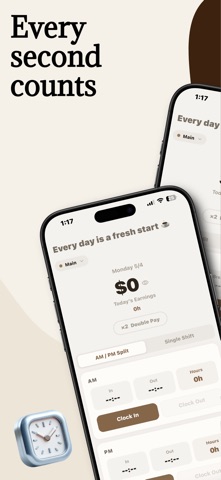
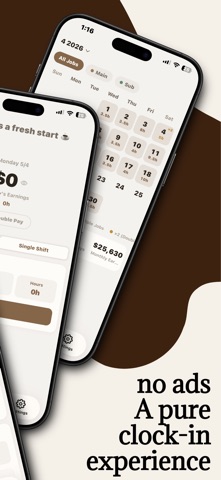
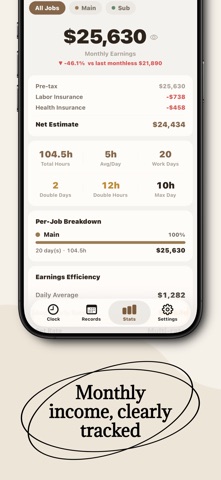
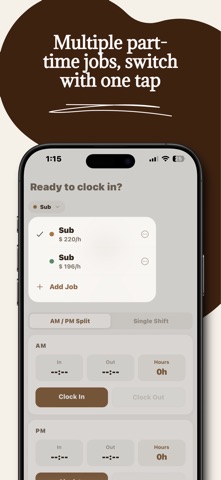
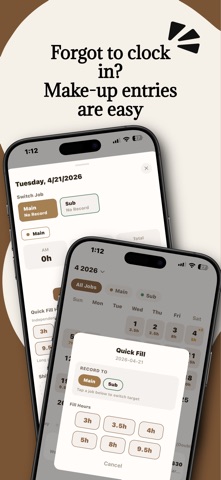
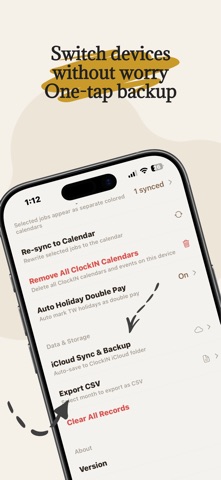
Whether you work full-time on a fixed schedule, rotate through shifts, or manage multiple part-time jobs, ClockIN keeps your time punches, schedules, working hours, and estimated pay in one place. Use ClockIN alongside your workplace timekeeping system to keep a personal attendance record you can check anytime. Clock in, clock out, start a break, or record overtime with a single tap. ClockIN calculates estimated pay from your monthly salary or hourly rate, actual hours, overtime rules, bonuses, and supported deductions, so you can review the numbers before payday. Fixed schedules, rotating shifts, morning shifts, afternoon shifts, evening shifts, overnight shifts, or multiple jobs—ClockIN adapts to the way you work. KEY FEATURES Full-time, part-time, and multiple-job support • Manage full-time employment, part-time jobs, casual work, and multiple jobs • Set a monthly salary or hourly rate, color, pay period, and pay rules for each job • Support for bonuses, hourly premiums, overtime rules, double-pay dates, and labor and health insurance estimates Time clock and attendance • Clock in, clock out, start or end breaks, and record overtime • Support for single-shift schedules and multiple shift types, including morning, afternoon, evening, and overnight shifts • Track overnight shifts across midnight without splitting them into two days • Add missed punches, edit past records, and attach notes • Detect possible missing punches and records with times in the wrong order Scheduling and shared schedules • Plan shifts in advance and compare scheduled hours with actual attendance • Create shared schedules for a group or share an individual schedule • Create personal events and reusable shift types • Estimate upcoming working hours and pay from your schedule Calendar and statistics • View daily shifts, hours, overtime, job colors, and double-pay dates at a glance • Review total hours, average daily hours, days worked, overtime, and estimated pay • Customize your pay period instead of always starting on the first day of the month • Set an overall income goal or separate goals for individual jobs Reminders and quick access • Set clock-in reminders by weekday and time • Receive clock-out reminders after a selected number of hours or at a specific time • Clock in and switch jobs from Home Screen widgets • Protect work and pay records with Face ID Sync, export, and backup • Back up data and keep devices in sync with ClockIN Cloud • Create automatic daily backups with iCloud • Save ClockIN backup files to the Files app • Export monthly PDF reports for reference, review, or sharing • Export CSV files for use in Excel and other tools • Use core time clock, record, and pay features offline • No ads, for a clean and focused experience ClockIN is designed for: • Full-time employees who want a personal record of attendance, overtime, and pay • Shift workers in restaurants, retail, stores, hospitality, and other service industries • Students and workers managing multiple part-time jobs • Tutors, delivery workers, freelancers, and other hourly workers • Anyone who wants a clearer view of schedules, working hours, and monthly pay Keep your time, schedule, hours, and pay records in your own hands. From how long you worked today to how much you may earn this pay period, ClockIN keeps everything organized. Pay and insurance calculations are estimates only. Actual amounts may vary according to your employer, payroll statement, and applicable regulations. Terms of Use: https://www.apple.com/legal/internet-services/itunes/dev/stdeula/ Privacy Policy: https://clockinapp.xyz/privacy
What's new · 2.0.2
- Added national holiday markers to Schedule and Records - Added overnight clocking support for single and afternoon shifts - Added separate overtime pay periods and custom deductions for full-time jobs - Improved multi-job payroll summaries and estimated take-home pay calculations - Improved CSV and PDF payroll details, including overtime pay after leaving a job - Fixed decimal input and display issues for hourly and daily pay rates - You can now disable jobs without deleting past records - Reorder jobs once to update Clock, Records, Schedule, and Stats - Bugfix
Details