

Hibi Calendar
Alexander Moritz Weichart · Productivity
Independent analytics for this App Store listing. AppTracker is not affiliated with Alexander Moritz Weichart.
Chart standing · US
What changed · US
Listing changes AppTracker has observed for this app in this storefront — new versions, price moves, rating shifts, and store copy.
• Write directly on your pages with a floating formatting bar above your keyboard. • Make stickers and Washi on a new cutting mat, with adjustable photo sizes and more room to frame each cut. • Add Month and Week widgets to your Home Screen. • Keep the weather on your past pages, so you can look back at the day as it was. • Put your paper on either side of your events in Day view. Find the option in Settings → Display → Day. • Choose whether to share feature usage to help improve Hibi. Calendar and page content stay private, and you can change your choice in Settings → Privacy.
Price & rating history · US
Reconstructed from the listing changes AppTracker has observed in this storefront. A field is charted once it has changed more than once, and each line starts at the value it moved from.
Average rating · ★ 4.94 now · 6 changes on record
Ratings breakdown · US
The star breakdown behind this app's rating in this storefront.
In-app purchases · US
What this app sells inside itself, grouped by kind and priced for this storefront.
Screenshots



About
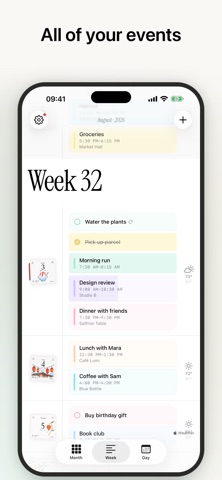
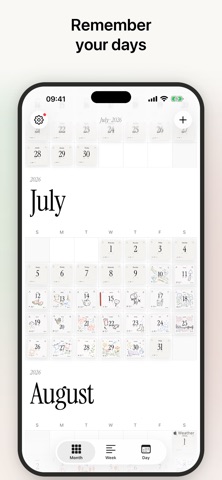
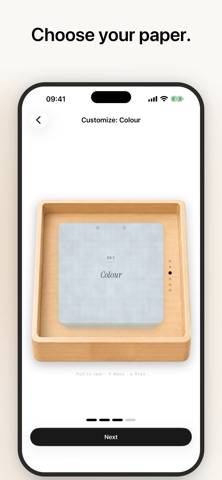
Your calendar, as a stack of paper. Every day in Hibi is a soft, textured page you can doodle on, cover in stickers, and make entirely your own, wrapped around a real calendar that quietly keeps up with your life. Hibi shows your existing calendars and reminders through Apple's built-in system. No account, no sign-up, nothing to set up. Just three views: • Day: paper cards you tear away with a swipe • Week: your days in a gentle stream • Month: one endless, uncluttered grid Then it hands you the pens: • Draw and write by hand, with Apple Pencil support on iPad • Add stickers, or make your own by cutting them straight from your photos • Choose your paper, ruling, and colour, and arrange each page the way you like The details are cared for: hand-picked pastel tints for each of your calendars, live weather on every page from Apple Weather, elegant serif type, a proper dark mode, and home-screen widgets for today's page and what's coming next, unlocked with Hibi Plus. Private by design. No Hibi account or advertising tracking. Your decorated pages sync through your own iCloud. If you choose to share usage analytics, Hibi sends limited feature-use information to our self-hosted analytics service. Your calendar, reminders, and page content are never included in analytics. No subscription. The core app is free. An optional one-time Hibi Plus unlock adds those home-screen widgets, alternate app icons, a personal rubber stamp for your pages, and interactive reminders in your widgets, yours for life. Hibi is Japanese for "days." We made it so you'd want to open yours.
What's new · 3.6
• Write directly on your pages with a floating formatting bar above your keyboard. • Make stickers and Washi on a new cutting mat, with adjustable photo sizes and more room to frame each cut. • Add Month and Week widgets to your Home Screen. • Keep the weather on your past pages, so you can look back at the day as it was. • Put your paper on either side of your events in Day view. Find the option in Settings → Display → Day. • Choose whether to share feature usage to help improve Hibi. Calendar and page content stay private, and you can change your choice in Settings → Privacy.
Details