

Moki - Markdown Editor
Layerz Corp. · Developer Tools
Independent analytics for this App Store listing. AppTracker is not affiliated with Layerz Corp.
Chart standing · US
What changed · US
Listing changes AppTracker has observed for this app in this storefront — new versions, price moves, rating shifts, and store copy.
- PDF Preview: see your note as a paginated PDF right in the reader - New Moki Pro, a one-time purchase: PDF export, the theme editor, and theme import & export
In-app purchases · US
No in-app purchases.
Screenshots


About
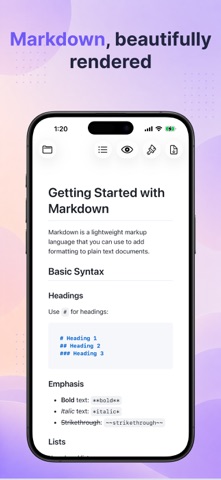
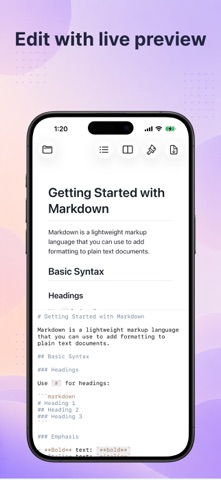
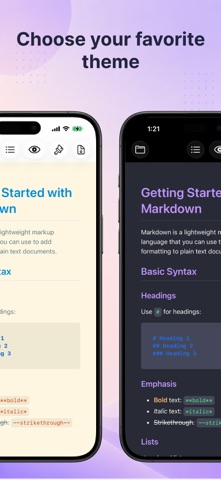
### Description Moki is a warm, simple home for your Markdown on iPhone and iPad — a lovely place to read it and write it. **Reading is a pleasure** - 10 built-in themes to choose from — with colorful code blocks, math, and diagrams - A comfy, centered reading width keeps long lines easy on the eyes - A Table of Contents to hop between headings - Light or dark, whichever you like **Writing feels easy** - Your preview sits right beside the editor as you type — scroll either side and the other keeps pace - A handy formatting toolbar above the keyboard - Gentle syntax colors, and lists that keep themselves going - Everything saves on its own **Made for Vibe Coding** - Open a folder and all your Markdown shows up in the sidebar - When a file changes, it re-renders in a blink — so you can watch your notes, plans, and AI-written docs update live, all in one place - Local images just show up — even blog posts that use site-absolute paths like /images/photo.png - Find files by name, and create, rename, or delete files and folders with ease **See the PDF before you share it** - PDF Preview shows your note exactly as it will print — paginated A4 or Letter, tall images fitted to a page, lines never split, and your own page breaks honored - Flip through the pages right in the reader, then export with one click (Moki Pro) **Make it yours with Moki Pro** One-time purchase: - Export polished, paginated PDFs - Design your own theme — colors, fonts, line spacing, and reading width — with a live preview - Import Markdown CSS themes, fonts and images included, and export your themes as CSS to share or fine-tune **And there's more — beyond Markdown** - Source code in living color in a dark editor — Swift, Python, JavaScript, JSON, and more - A built-in PDF viewer with page layouts and navigation - An image viewer with zoom and animated GIFs, plus video playback - Take a peek at any other file type with QuickLook - iCloud files download whenever you need them, with a clear indicator - Three display modes: read, write, or both
What's new · 1.8.1
- PDF Preview: see your note as a paginated PDF right in the reader - New Moki Pro, a one-time purchase: PDF export, the theme editor, and theme import & export
Details