
Chart standing · US
Screenshots




About
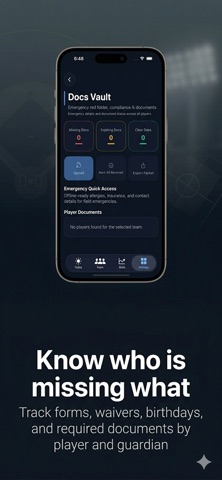
Manage your youth sports team in one place — rosters, schedules, volunteers, tournaments, finances, documents, parent communication, and now in-game stats with voice logging. SportsManager helps coaches and team managers stay organized all season long with the tools they use most, in one app, from opening day through tournament weekends and the final game of the year. Built for real volunteer-coach workflow on busy weekends, between work, and on the sideline. Built for seven sports: -Baseball -Softball -Hockey -Soccer -Basketball -Volleyball -Lacrosse Each sport gets its own environment with the right age groups (U-brackets for most sports, birth year for hockey), the right stat vocabulary, and sport-specific rule sets where they matter — like pitch-count limits for baseball and softball. Organize your season with: -Team rosters and player details -Schedules, events, and game-day planning -Volunteer tracking and coordination -Tournament planning and weekend prep -Team finances and payment tracking -Important player documents and emergency details -Parent communication and reusable message templates Track stats hands-free with the voice logger: -Hold the mic, say the stat and jersey number — "Goal 7" or "Three pointer 11 assist 4" — and the entry is logged for the right player -Works for every sport with the right vocabulary (goals, assists, kills, rebounds, ground balls, and more) -Tap-to-log still works the same way, and goal-scoring stats now prompt for the assist -Export season stats to CSV from every sport for sharing with parents or league officials Built for real coach workflow: -Keep team information in one place — no juggling apps or paper binders -Stay on top of schedules, families, and season logistics -Switch between sports without losing data — each sport keeps its own teams, players, schedule, and stats -Export and share key team information when needed -Support one team or grow into a larger club workflow over time SportsManager includes a free core experience for everyday team management, with optional upgrades for coaches who want additional workflow tools and a cleaner planning experience. Optional upgrades may include: -SportsManager Pro monthly subscription -SportsManager Pro annual subscription -Team Pass one-time purchase -SportsManager Pro and Team Pass help unlock additional tools for busy coaches, including expanded workflow support, planning features, and multi-team flexibility. Auto-renewable subscription information: -Payment will be charged to your Apple ID at confirmation of purchase -Subscription renews automatically unless canceled at least 24 hours before the end of the current period -Your account will be charged for renewal within 24 hours prior to the end of the current period -You can manage and cancel your subscription in your App Store account settings after purchase Privacy Policy: https://www.rockyriversoftware.com/privacy-sportsmanager Terms of Use: https://www.apple.com/legal/internet-services/itunes/dev/stdeula/ Support: https://www.rockyriversoftware.com/support-sportsmanager
What's new · 1.3
Money that adds up. This release rebuilds how SportsManager handles team money, and fixes the issues managers told us about most. - See every transaction, not just this month. Your full history is on one screen, grouped by month. - Edit or delete any transaction. Tap it, change it, done - and player totals stay correct. - A payment counts once. Recording income against a player no longer doubles the amount. - Know what you can actually spend. Safe to Spend subtracts what you have already promised to tournaments, so the number you see is the number you have. - Get a warning before you overspend. Adding an expense shows what it leaves you, and flags it before it goes past your balance. Also in this update: - Schedule sync no longer creates duplicate games when your league reschedules, and cancelled games come off your calendar. - Swipe any row to edit or delete it. - Clearer PRO labels, so you know what is included before you tap. - Bigger, labelled buttons throughout for one-handed use at the field. - Amounts read correctly in every region's number format. - If calendar setup fails during onboarding, the app now tells you why and how to fix it.
Details