

MP3 Convert Easy
Silverlute Company · Music
Independent analytics for this App Store listing. AppTracker is not affiliated with Silverlute Company.
Chart standing · US
What changed · US
Listing changes AppTracker has observed for this app in this storefront — new versions, price moves, rating shifts, and store copy.
- Pro audio settings: presets, bitrate, CBR/VBR, sample rate, channels, and bit depth - Fade in/out, volume normalization, and gain - Edit MP3 and M4A tags and artwork - Set trim start and end times precisely - Import from and save to OneDrive - Wi-Fi Transfer between your iPhone and a computer
In-app purchases · US
What this app sells inside itself, grouped by kind and priced for this storefront.
Screenshots


About
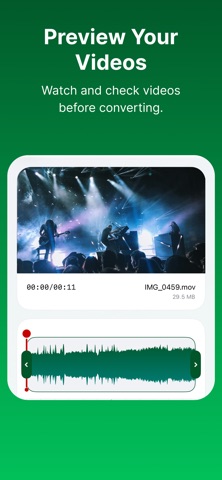
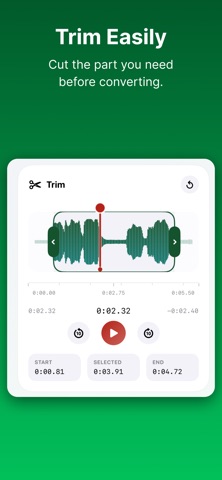
Convert video and audio files into the formats you need in just a few taps. MP3 Convert Easy lets you import media from Photos, Files, or OneDrive, extract audio from video, and convert to popular formats including MP3, M4A, AAC, WAV, FLAC, MP4, MOV, and MKV. Whether you want an MP3 from a video clip, a smaller audio file for sharing, or a ringtone-ready file, the app keeps the process simple. Pick a file, trim it to the exact moment, choose an output format, convert, then preview, rename, duplicate, or share your result right from the app. Need more control? Fine-tune bitrate, CBR or VBR, sample rate, channels, and bit depth, add fades, normalize or boost the volume, and edit MP3 and M4A tags with artwork. Your media stays private. MP3 Convert Easy converts files on-device, so you can create, preview, and share with confidence. Features: - Import from Photos, Files, or OneDrive - Extract audio from video - Convert to MP3, M4A, AAC, WAV, FLAC, MP4, MOV, and MKV - Trim on a waveform and set start and end times precisely - Audio presets plus bitrate, sample rate, channel, and bit depth settings - Fade in/out, volume normalization, and gain - Edit MP3 and M4A tags and artwork - Save to Files or OneDrive, or share converted files - Transfer files to and from a computer over Wi-Fi - Rename, duplicate, and manage converted files in one place - Prepare audio files for ringtone use Terms of Use (EULA): https://silverlute.com/terms
What's new · 1.0.6
- Pro audio settings: presets, bitrate, CBR/VBR, sample rate, channels, and bit depth - Fade in/out, volume normalization, and gain - Edit MP3 and M4A tags and artwork - Set trim start and end times precisely - Import from and save to OneDrive - Wi-Fi Transfer between your iPhone and a computer
Details