

Kerygma - Bible Explained
Ange Rodriguez · Books
Independent analytics for this App Store listing. AppTracker is not affiliated with Ange Rodriguez.
Chart standing · US
What changed · US
Listing changes AppTracker has observed for this app in this storefront — new versions, price moves, rating shifts, and store copy.
Kerygo, your companion in faith A verse that resists you, a teaching that escapes you, a saint you know nothing about? Ask Kerygo. Grounded in Scripture and Tradition, never an oracle — a study companion. Ask from the home screen, or right from the passage you're reading, and it keeps the context. Five free questions for life to try it out; Kerygma+ makes them unlimited, and every conversation stays in your history. Share catalog plans too Your 11 reading plans now share the same way your custom ones do: same short code, same link. Whoever receives it opens the plan directly in their own language. Scan your paper Bible Still reading on paper? Keep your Bible open next to your phone. Snap the page header ("MATTHEW 5" is enough) — Kerygma finds the passage, then gives you its explanation and the chapter's insights. Paper and app, finally reconciled. The photo is only used to identify the passage; it's never stored. (Beta) Still there Home screen widgets (Verse of the day, Continue reading), Latin prayers to listen to, and the word of the day to share — all still waiting for you in the app. Reading settings & fixes New display preference: verses run together or separated, numbers shown or hidden. The home screen widget finally opens where it should. Refined interface and a few fewer bugs.
In-app purchases · US
What this app sells inside itself, grouped by kind and priced for this storefront.
Screenshots




Keywords this app targets
Search terms AppTracker associates with this app — estimates, not search volume. ❝ = in the app's title; a highlighted number is its current position for that term.
Similar apps
Competitors and close alternatives, as estimated by AppTracker.
 Study Bible:Notes,AI Chat,Ref
Dmitrii Medvedev
2 shared topics · 1 shared title word
Study Bible:Notes,AI Chat,Ref
Dmitrii Medvedev
2 shared topics · 1 shared title word
 ionBible: KJV Study Bible
Seth Adam Mundall
1 shared topic · 1 shared title word
ionBible: KJV Study Bible
Seth Adam Mundall
1 shared topic · 1 shared title word
 Catholic Bible PRO: No Ads
Haven Tran
1 shared topic · 1 shared title word
Catholic Bible PRO: No Ads
Haven Tran
1 shared topic · 1 shared title word
 Bible Expert: AI Chat & Study
LIFTOFF
1 shared topic · 1 shared title word
Bible Expert: AI Chat & Study
LIFTOFF
1 shared topic · 1 shared title word
 Bible Gateway
HarperCollins Christian Publishing, Inc.
1 shared topic · 1 shared title word
Bible Gateway
HarperCollins Christian Publishing, Inc.
1 shared topic · 1 shared title word
 Holy Bible † Study God's Word
East End Technologies Ltd.
1 shared topic · 1 shared title word
Holy Bible † Study God's Word
East End Technologies Ltd.
1 shared topic · 1 shared title word
 Agios Bible - Holy Bible
George Samir Morcos Gindi
1 shared topic · 1 shared title word
Agios Bible - Holy Bible
George Samir Morcos Gindi
1 shared topic · 1 shared title word
 Biblearn+™ KJV: AI Bible Study
Orion Hermetic Interventions, S.A.S. de C.V.
1 shared topic · 1 shared title word
Biblearn+™ KJV: AI Bible Study
Orion Hermetic Interventions, S.A.S. de C.V.
1 shared topic · 1 shared title word
About
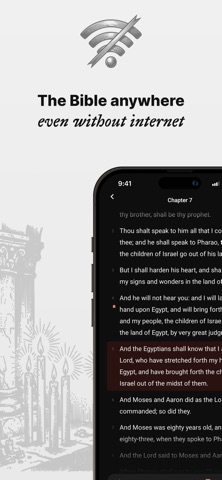
Kerygma: Read and Understand the Catholic Bible Do you want to read the Bible but don't know where to start? Do you give up after a few chapters because the text feels obscure or difficult to follow? Kerygma was designed for you. The complete Catholic Bible in your pocket Kerygma includes all 73 books of the Catholic Bible: the Old Testament, the New Testament, and the deuterocanonical books often missing from other apps (Tobit, Judith, Maccabees, Wisdom, Sirach, Baruch). Fully offline, anytime. Two ways to read, depending on your time Classic Reading Browse the Bible book by book, chapter by chapter, verse by verse. Select any passage to annotate, save, or request an explanation. Quick Reading Quick Reader mode transforms each chapter into a clear, fluid narrative presented like a story. Ideal when you're short on time or want to quickly grasp the essence of a passage. Scan your paper Bible Still read on paper? Point your camera at the page header (Matthew 5 is enough) and Kerygma opens the passage with its explanation and the chapter's insights. The photo is only used to identify the passage; it's never stored. Truly understand what you read Behind every verse lies a wealth of meaning. Kerygma offers AI-generated explanations that analyze each passage from multiple perspectives: symbolic, semantic, contextual, and interreligious. No need for a 600-page commentary. The essentials are always within reach. Never lose your place A bookmark automatically saves your progress in each book. Pick up exactly where you left off, even after days away. Daily streaks and chapter goals help you build a consistent reading habit without pressure. Your notes, always with you Select a verse, add a personal note, and find it later in your notebook. Build your own reflection on Scripture, step by step. A design that lets the text speak Kerygma adopts a minimalist and clean design. No clutter, no intrusive notifications, no distractions. Serif typography gives Scripture the dignity it deserves. Light, dark, and automatic modes adapt to your environment and time of day. Fully offline No internet connection? No problem. The entire Bible is available locally on your device. Explore the Places of the Bible The Biblical Atlas maps over 100 locations connected to the Bible and Christianity on an interactive map. Discover the sites mentioned in Scripture and rediscover the geography of sacred history. Kerygma Plus: Go further Kerygma Plus unlocks unlimited AI explanations, advanced reading modes, and all future premium features. Free 3-day trial with no commitment. Monthly or yearly subscription, cancel anytime. Why choose Kerygma? 100% Catholic Access all 73 books, including the deuterocanonical texts often missing from other apps. Bible in Stories Short on time? Quick Reader summarizes each chapter into concise slides for instant understanding. Your AI spiritual guide Get clear explanations of historical context, symbolism, and original meanings instantly. It's like having a theologian with you at all times. Distraction-free reading A minimalist design with no ads or intrusive notifications, so you can focus on what matters most: the Word. Always with you Access your texts and personal notes anywhere, even offline, whether on a train or in a church. Kerygma is for everyone: believers seeking to deepen their faith, curious minds discovering the Bible for the first time, and anyone who wants to explore a foundational text of Western culture. Privacy Policy: https://kerygo.app/privacy Terms of Service: https://kerygo.app/tos
What's new · 10.0
Kerygo, your companion in faith A verse that resists you, a teaching that escapes you, a saint you know nothing about? Ask Kerygo. Grounded in Scripture and Tradition, never an oracle — a study companion. Ask from the home screen, or right from the passage you're reading, and it keeps the context. Five free questions for life to try it out; Kerygma+ makes them unlimited, and every conversation stays in your history. Share catalog plans too Your 11 reading plans now share the same way your custom ones do: same short code, same link. Whoever receives it opens the plan directly in their own language. Scan your paper Bible Still reading on paper? Keep your Bible open next to your phone. Snap the page header ("MATTHEW 5" is enough) — Kerygma finds the passage, then gives you its explanation and the chapter's insights. Paper and app, finally reconciled. The photo is only used to identify the passage; it's never stored. (Beta) Still there Home screen widgets (Verse of the day, Continue reading), Latin prayers to listen to, and the word of the day to share — all still waiting for you in the app. Reading settings & fixes New display preference: verses run together or separated, numbers shown or hidden. The home screen widget finally opens where it should. Refined interface and a few fewer bugs.
Details