

AI Room Redesign: Home Decor
Ridvan Uyan · Graphics & Design
Independent analytics for this App Store listing. AppTracker is not affiliated with Ridvan Uyan.
Chart standing · US
What changed · US
Listing changes AppTracker has observed for this app in this storefront — new versions, price moves, rating shifts, and store copy.
• During a free trial, Home now shows when it ends and lets you set a reminder. • Try another style in this space, right from your result. • Report a result that doesn't look right. • Small fixes and improvements.
Price & rating history · US
Reconstructed from the listing changes AppTracker has observed in this storefront. A field is charted once it has changed more than once, and each line starts at the value it moved from.
Average rating · ★ 4.00 now · 2 changes on record
Ratings breakdown · US
The star breakdown behind this app's rating in this storefront.
In-app purchases · US
What this app sells inside itself, grouped by kind and priced for this storefront.
Screenshots




About
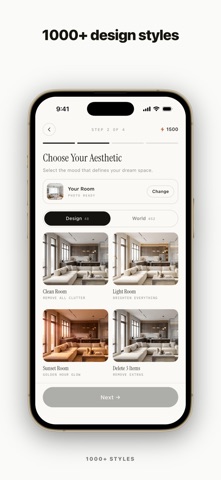
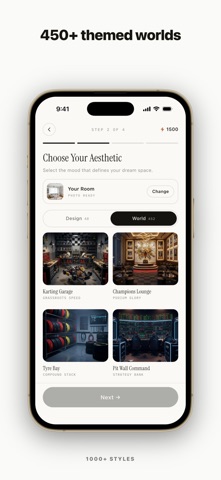
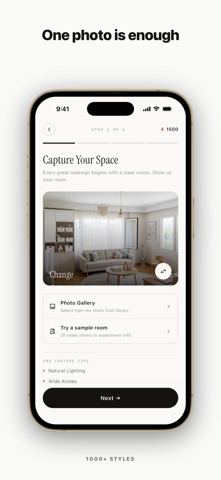
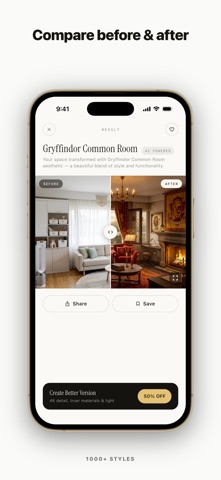
See your space transformed before you spend a dime on furniture or paint. Architectural AI turns a single photo of any room into a stunning, photorealistic redesign in seconds. HOW IT WORKS 1. Snap or upload a photo of your room. 2. Pick an interior style or a themed world. 3. Get your redesign in seconds, then drag the before/after slider to compare. WHAT YOU CAN DO - Explore 750+ styles and themed worlds: Modern, Minimalist, Scandinavian, Japandi, Japanese, Bohemian, Tropical, Rustic, Industrial, Coastal, Mid-century, Luxury and more. - Redesign every space: living room, bedroom, kitchen, bathroom, dining room, home office, and even garden, patio, and awkward dead corners. - One-tap edits: add plants or curtains, change flooring, repaint walls, declutter and clean the room, add a pop of color, or remove specific items. - Test exact paint and decor colors on your actual wall with the color palette picker. - Compare every result with the before/after slider. - Available in 14 languages. GREAT FOR - Just moved in? Plan your layout and style before buying a single piece of furniture. - Preview a kitchen or bathroom remodel before you meet a contractor. - Renting? Visualize a whole new look without touching the walls. Join people everywhere reimagining their homes, one photo at a time. Free to download. Try a free sample room and a free preview of your own room; optional token packs and an auto-renewable subscription with regular credits are available when you want more redesigns. Auto-renewable subscription: Architectural AI offers weekly and yearly Premium subscriptions. Payment is charged to your Apple Account at confirmation of purchase. Your subscription renews automatically unless auto-renew is turned off at least 24 hours before the end of the current period. Your account is charged for renewal within 24 hours before the end of the current period. You can manage or cancel your subscription anytime in your Apple Account settings. Terms of Use (EULA): https://roomredesign.co/en/terms Privacy Policy: https://roomredesign.co/en/privacy
What's new · 1.4.7
• During a free trial, Home now shows when it ends and lets you set a reminder. • Try another style in this space, right from your result. • Report a result that doesn't look right. • Small fixes and improvements.
Details