

Convert image to pdf: PicDF
CODE CREATION STUDIO (PTY) LTD · Productivity
Independent analytics for this App Store listing. AppTracker is not affiliated with CODE CREATION STUDIO (PTY) LTD.
Chart standing · US
What changed · US
Listing changes AppTracker has observed for this app in this storefront — new versions, price moves, rating shifts, and store copy.
What's new in PicDF: • Multi-Language Support: Now available in French, German, Italian, and Spanish. • PDF Export Options: Compress files, customize page sizes (A4, Letter), and set margins. • Document Security: Protect your PDFs with password encryption. • Watermarks & Page Numbers: Add custom diagonal stamps and page counters. • Batch Deletion: Select and delete multiple PDFs at once. • Custom Naming: Name files before saving. • UI improvements & bug fixes.
In-app purchases · US
What this app sells inside itself, grouped by kind and priced for this storefront.
Screenshots


About
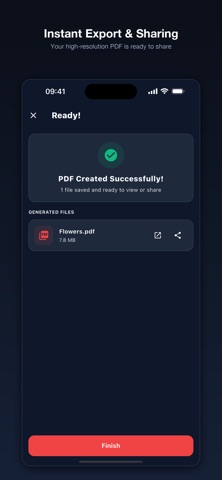
Easily convert photos, images, and pictures into high-quality PDF documents with PicDF! Whether you need to send a signed contract, organize receipts, digitize lecture notes, or archive family photos, PicDF gives you instant, offline image-to-PDF conversion with complete privacy. WHY CHOOSE PICDF? • Instant Conversion: Convert JPG, PNG, and HEIC photos into clean PDF documents in seconds. • Batch Processing: Combine multiple photos into a single, multi-page PDF file. • Reorder with Ease: Simple drag-and-drop page reordering before creating your PDF. • 100% Private: All conversions occur locally on your iPhone or iPad. Your personal photos are never uploaded to external servers. • Works Offline: No internet connection required. Convert receipts, notes, and documents anywhere, anytime. • Universal Sharing: Share your PDFs via AirDrop, Mail, Messages, WhatsApp, or save directly to the Apple Files app. PERFECT FOR: - Students: Turn handwritten notes and whiteboard pictures into study PDFs. - Professionals: Scan receipts, invoices, and signed contracts on the go. - Everyday Use: Digitize paper documents, ID cards, and recipes for safe keeping. Upgrade to PicDF Pro for an ad-free experience and unlimited conversions. Download PicDF now and create professional PDF documents in seconds!
What's new · 1.1.0
What's new in PicDF: • Multi-Language Support: Now available in French, German, Italian, and Spanish. • PDF Export Options: Compress files, customize page sizes (A4, Letter), and set margins. • Document Security: Protect your PDFs with password encryption. • Watermarks & Page Numbers: Add custom diagonal stamps and page counters. • Batch Deletion: Select and delete multiple PDFs at once. • Custom Naming: Name files before saving. • UI improvements & bug fixes.
Details