

Pinote — Lock Screen Note
OKMIN LEE · Productivity
Independent analytics for this App Store listing. AppTracker is not affiliated with OKMIN LEE.
Chart standing · US
What changed · US
Listing changes AppTracker has observed for this app in this storefront — new versions, price moves, rating shifts, and store copy.
More reliable syncing for notes you use across devices. • Fixed notes deleted on another device staying on Mac. • Fixed a late scheduled reset overwriting newer checks and pins. • Changes that fail to sync are now kept on your device. • On iPhone, Home now tells you when Live Activities are off, with a shortcut to Settings.
Screenshots



About
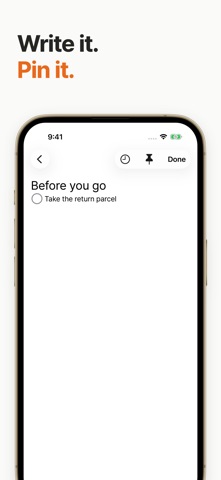
Your next task. On your Lock Screen. A parcel to return before you leave. A question to ask at your next meeting. Write it in Pinote and pin it, so you can see your next task without opening the app. • Notes and checklists Write freely, then focus on the next item in your checklist. • Pin now or schedule a time Pin a note from the editor or choose when it should appear automatically. Lock Screen availability and updates depend on system settings and device conditions. • Continue across devices Use iCloud to keep your notes across iPhone, iPad, Mac and Apple Watch. Each device displays notes in its own way. • Recover deleted notes Recently Deleted keeps copies on this device for 30 days. After restoring a note, you can turn its pin and automatic schedule back on yourself. • Keep a file backup Export a Pinote JSON backup and import it later without overwriting existing notes. Export as text to read your notes in other apps. Recently Deleted is stored separately on each device. No separate Pinote account is required. Cross-device sync uses iCloud. No ads appear on your Lock Screen.
What's new · 1.19.0
More reliable syncing for notes you use across devices. • Fixed notes deleted on another device staying on Mac. • Fixed a late scheduled reset overwriting newer checks and pins. • Changes that fail to sync are now kept on your device. • On iPhone, Home now tells you when Live Activities are off, with a shortcut to Settings.
Details