

Swing Catalyst Cam
Initial Force AS · Sports
Independent analytics for this App Store listing. AppTracker is not affiliated with Initial Force AS.
Chart standing · US
What changed · US
Listing changes AppTracker has observed for this app in this storefront — new versions, price moves, rating shifts, and store copy.
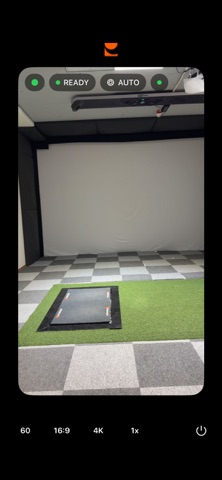
- Capture with the Shutter set to Auto now works reliably. Swing Catalyst no longer switches between buffering and ready while the light changes. - Recordings now keep the frame rate you choose after you connect by scanning the QR code. - At 60 fps the default resolution is now 1080p. You can still choose 4K. - The resolution you choose is kept when you switch camera.
Screenshots

About
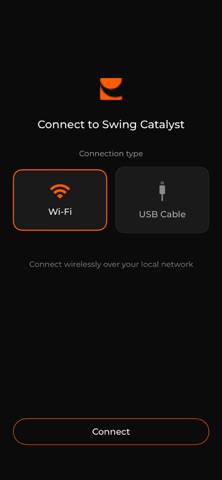
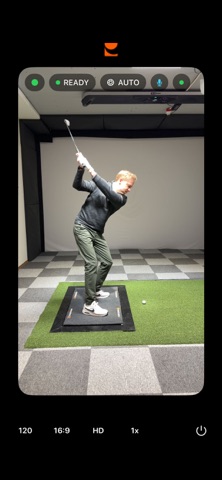
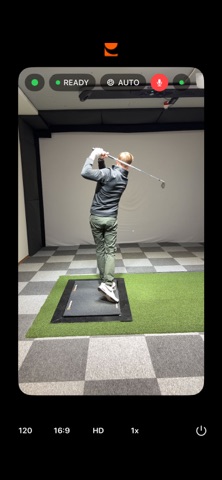
Turn the iPhone in your pocket into a Swing Catalyst camera for golf and baseball swing video. Capture on the phone, analyze on the PC. No extra camera to buy. No studio to rig. Swing Catalyst Cam pairs with the Swing Catalyst desktop software on your Windows PC over Wi-Fi or USB and live-streams the camera feed in real time. Every swing appears on the Swing Catalyst screen the moment it happens, ready for frame-by-frame review, drawing tools, side-by-side comparison, and integration with leading launch monitor brands. Use Swing Catalyst Cam on its own, or as an additional angle alongside your existing Swing Catalyst cameras. Your swing video and ball data live on the same screen. Golf camera For golfers and golf coaches. Capture every swing in the bay, on the range, or out on the course. Review it frame by frame on the Swing Catalyst desktop, alongside data from your launch monitor. Baseball camera For hitters and baseball coaches. Capture every swing in the cage or on the field. Break down bat path, contact, and timing on the Swing Catalyst desktop with the same depth coaches use in the studio. How it works - Trigger capture hands-free using the iPhone microphone, no tap mid-swing - Automatic focus, no manual zoom or focus adjustment - Use the live camera view to set up your angle before pairing - Connect over Wi-Fi or USB - Live-stream the camera feed to the Swing Catalyst desktop in real time - Capture your swing at up to 240 frames per second - Choose different angles to suit your needs - Run two iPhones at once for two simultaneous camera angles - Step outside the studio or bay and onto the course. Built for the space you already have Swing Catalyst Cam works outdoors and inside any home studio, bay, academy, or batting cage. It performs in low light, with no need for professional studio lighting. Bring serious swing capture into the space you already have, not the one you wish you had. What you need - An iPhone - A Windows PC running Swing Catalyst - A Swing Catalyst account How to begin 1. Download Swing Catalyst Cam 2. Open the app and pair it with your Windows PC over Wi-Fi or USB 3. Adjust Swing Catalyst settings 4. Swing About Swing Catalyst Swing Catalyst is a dedicated swing analysis platform built for golf coaches, baseball coaches, studios, and serious players. The desktop software is the swing analyzer behind some of the most respected coaching practices in both sports. Swing Catalyst Cam is the iPhone camera that feeds it the video for golf swing analysis and baseball swing analysis.
What's new · 1.4
- Capture with the Shutter set to Auto now works reliably. Swing Catalyst no longer switches between buffering and ready while the light changes. - Recordings now keep the frame rate you choose after you connect by scanning the QR code. - At 60 fps the default resolution is now 1080p. You can still choose 4K. - The resolution you choose is kept when you switch camera.
Details