

Remove Objects From Photo: RBQ
Purvi Sancheti · Photo & Video
Independent analytics for this App Store listing. AppTracker is not affiliated with Purvi Sancheti.
Chart standing · US
Ratings breakdown · US
The star breakdown behind this app's rating in this storefront.
In-app purchases · US
What this app sells inside itself, grouped by kind and priced for this storefront.
Screenshots



About
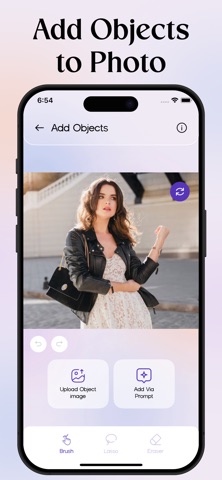
Remove objects and transform your photos effortlessly with RBQ AI, your all-in-one AI photo editor. Not just removing objects, add new elements, replace anything, upscale image quality, remove or change BG, and completely reinvent your photos instantly. Key Features: → Remove Objects: Just brush over objects and easily erase unwanted elements from your photos. → Add Objects: Highlight an area and add objects by your own image or generating one using a prompt. → Replace Objects: Brush over any object and replace it with an image or generate using prompt. → Remove Background: Instantly remove BG with precision, isolating your subject perfectly. → Change Background: Choose a solid color or upload your own BG for a personalized look. → Upscale Image: Enhance low-resolution images with one tap. Get detailed, sharper, clearer photos. → AI Chat Editor: Edit your images just by chatting! Upload a photo and describe what you want. → Images History: Revisit all your edits anytime Re-download, share, or manage effortlessly. → Download & Share: Save your edited photos in high quality and share them instantly in one tap. Download RBQ AI now and transform your everyday photos in seconds! Why Choose RBQ AI? → Fast, simple, and clean experience → Powerful AI editing tools in one app → Unlimited creativity at your fingertips → Beginner-friendly ‘How to Use’ guides About PRO Subscription: The free version of RBQ AI offers limited access. Upgrade to PRO to unlock all tools, features, and full access. Privacy: https://rbq-app.top/privacy-policy/ Terms: https://rbq-app.top/terms-conditions/ Support: https://rbq-app.top/support/
Details