

Screen Recording to GIF
JIRI CHOMAT · Utilities
Independent analytics for this App Store listing. AppTracker is not affiliated with JIRI CHOMAT.
Chart standing · US
What changed · US
Listing changes AppTracker has observed for this app in this storefront — new versions, price moves, rating shifts, and store copy.
Price & rating history · US
Reconstructed from the listing changes AppTracker has observed in this storefront. A field is charted once it has changed more than once, and each line starts at the value it moved from.
Average rating · ★ 0.00 now · 2 changes on record
In-app purchases · US
No in-app purchases.
Screenshots




About
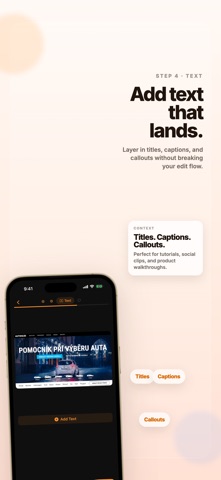
Convert your screen recordings into beautiful, shareable GIF animations in seconds. POWERFUL EDITING TOOLS • Trim — Cut your video to the perfect length • Crop — Remove unwanted areas with precision • Auto Captions — Generate editable on-device captions with multiple styles • Text Overlay — Add captions and labels anywhere on the GIF • Watermark — Brand your GIFs with text or image watermarks SMART EXPORT • Adjustable FPS, width, and color palette • Real-time file size estimation • Share directly or save to Photos • Upload to Imgur or Giphy with one tap • Copy to clipboard for instant pasting DESIGNED FOR CREATORS • Dark-themed interface that's easy on the eyes • Paste from clipboard, Photos, or Files • Works great with screen recordings and short demo videos • Fast processing — no waiting around Perfect for developers sharing bug reports, designers showcasing UI flows, educators creating tutorials, or anyone who needs to turn a video into a GIF.
What's new · 1.3
What's new in 1.3 - Captions are now generated from the trimmed part of your clip, so exports match what you actually keep. - Added a bottom-sheet caption timing editor with a live preview that updates both the video frame and text while you retime sequences. - Transcript edits now save automatically, caption defaults are more compact, and text editing is more stable.
Details