

QuickTerminal - Multi-Shell
KAZUHIRO KAKIMOTO · Developer Tools
Independent analytics for this App Store listing. AppTracker is not affiliated with KAZUHIRO KAKIMOTO.
Chart standing · US
What changed · US
Listing changes AppTracker has observed for this app in this storefront — new versions, price moves, rating shifts, and store copy.
• Bug fixes and performance improvements. • UI and design improvements.
In-app purchases · US
What this app sells inside itself, grouped by kind and priced for this storefront.
Screenshots


About
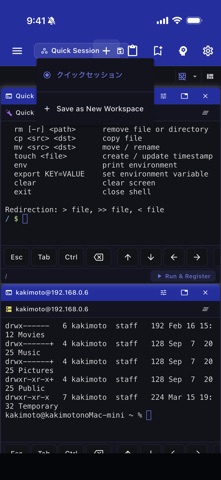
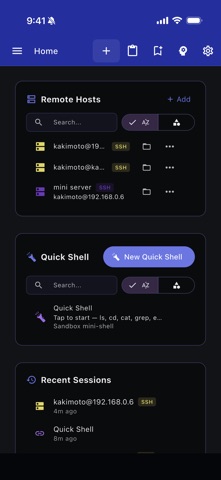
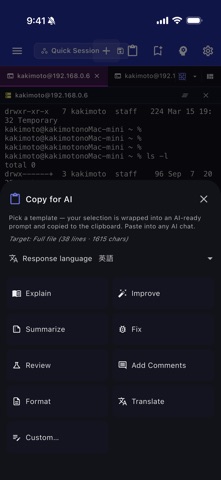
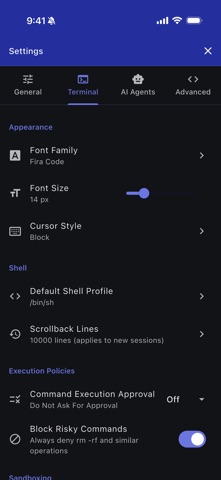
QuickTerminal is a professional terminal emulator and SSH client designed for iOS and macOS. It combines local shell access, remote SSH sessions, SFTP file browsing, and AI-powered command assistance in one workspace. TERMINAL: - Full xterm-256color terminal emulation - Local shell support (bash, zsh, fish, sh, ksh) - Multiple concurrent sessions with tabs - Horizontal and vertical terminal splitting - Customizable fonts: Fira Code, JetBrains Mono, Source Code Pro, Cascadia Code - Adjustable font size (8–32px) and cursor styles (block, underline, bar) - Scrollback buffer up to 50,000 lines SSH & SFTP: - SSH remote sessions with saved host profiles - Key-based and password authentication - SSH jump host / bastion support - SFTP file browser for remote directories - Connection pooling and session reuse - Secure credential storage AI ASSISTANT (Pro): - Claude and Gemini AI integration - Natural language command suggestions and explanations - Command safety analysis before execution - Context-aware help with working directory and git status COMMAND TOOLS: - Command snippets: save, categorize, search, and import/export as JSON - Command history with search, favorites, and directory tracking (500 entries) - Command palette for unified search across actions and snippets SECURITY POLICIES: - Command approval modes: None, Risky Only, Always - Risky command detection (rm -rf, mkfs, dd, shutdown, etc.) - Directory-based sandboxing with allowed paths - Configurable safety levels WORKSPACE: - Dockable floating panels - Integrated file browser - Resizable sidebar with icon-only mode - Grid and tabbed layout modes CUSTOMIZATION: - 20+ theme colors with dark/light mode - Customizable keyboard shortcuts - Responsive layout for mobile, tablet, and desktop ADVANCED CONNECTIVITY: - Mosh (Mobile Shell) for resilient connections over flaky networks - Port forwarding with local and remote SSH tunnels - GCP IAP tunneling for Google Cloud SSH access QuickTerminal Pro unlocks: - Unlimited AI agent execution - Ad-free experience - Advanced security policies - Priority support Terms of Use: https://kakitiro.com/quickapps/quickterminal/terms/
What's new · 5.1.31
• Bug fixes and performance improvements. • UI and design improvements.
Details