
Chart standing · US
Ratings breakdown · US
The star breakdown behind this app's rating in this storefront.
Screenshots





About
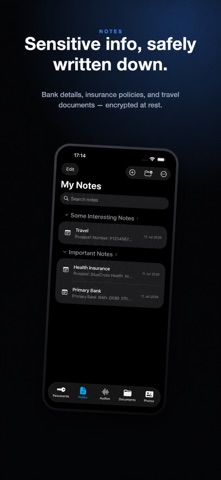
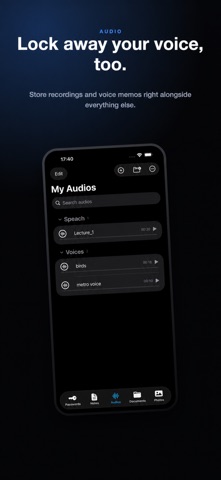
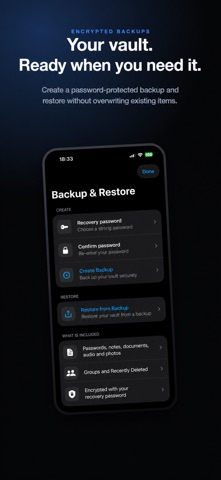
SecureKit is your private digital vault for passwords, sensitive notes, important documents, audio recordings, private photos, and two-factor authentication codes. Everything you save is encrypted on your iPhone and protected by Face ID or your device passcode. No SecureKit account is required, and your vault is never uploaded to the cloud. KEEP YOUR PRIVATE INFORMATION TOGETHER PASSWORDS Save usernames, passwords, and private account notes. Keep credentials hidden until you choose to reveal them, organize accounts into groups, and copy credentials with one tap. AUTHENTICATOR CODES Keep two-factor authentication codes beside the passwords they protect. Add an authenticator by scanning a QR code or entering its details manually, then view and copy current codes from one convenient screen. PRIVATE PHOTOS Import photos into an encrypted, on-device photo vault and organize them into private groups. After an import is safely completed, you can choose to remove the originals from Photos with iOS confirmation. PRIVATE NOTES Store bank details, insurance information, travel plans, personal notes, and other sensitive text. You can also scan printed documents and save recognized text as a private note. DOCUMENTS Scan or import multipage copies of passports, identity cards, residence cards, driving licences, and other important documents. Save identification numbers and expiry dates, then receive reminders before documents expire. AUDIO Record private voice notes or import existing audio files. Play, organize, and share recordings only when you choose. ENCRYPTED BACKUP & RESTORE Create a password-protected archive containing passwords, notes, documents, audio, photos, groups, and Recently Deleted items. Restoring adds missing content without overwriting items already on the device. Your recovery password is never stored, and your vault key is never written to the backup. Restoring a backup remains available even without Premium. PRIVACY BY DESIGN • 256-bit AES-GCM encryption • Vault key protected by the iOS Keychain • Face ID and device-passcode authentication • Local-only vault storage • No online account required • No cloud vault or synchronization • Sensitive content hidden in the app switcher SECURITY ON YOUR TERMS Choose when SecureKit locks automatically: immediately, after 30 seconds, after 1 minute, or after 5 minutes. You can also enable Shake to Lock for an additional quick way to secure your vault. SIMPLE ORGANIZATION • Create and manage custom groups • Search passwords, codes, notes, documents, audio, and photos • Collapse sections and reorder saved content • Restore items from Recently Deleted • Monitor local storage usage • Permanently erase your vault whenever you choose SECUREKIT PREMIUM SecureKit Premium is a single, one-time purchase—not a subscription. It unlocks private photo imports, two-factor authenticator codes, and encrypted backup creation. Your core vault features remain available without a recurring payment.
What's new · 2.1.0
SecureKit 2.1.0 is a major update introducing three powerful new Premium features: • Private Photos — import and organize photos in an encrypted, on-device vault. • Authenticator Codes — generate two-factor authentication codes and keep them beside the passwords they protect. • Encrypted Backup & Restore — create password-protected backups of your vault and safely restore missing content. Backup restoration remains available without Premium. Also new: • A redesigned Passwords tab with dedicated Passwords and Codes sections. • Custom groups, collapsible sections, and easier organization across the vault. • Improved encryption, data protection, stability, and reliability. SecureKit Premium is a single, one-time purchase—not a subscription.
Details