

Signature Scanner: Sign PDF
Talha Yavcin · Utilities
Independent analytics for this App Store listing. AppTracker is not affiliated with Talha Yavcin.
Chart standing · US
What changed · US
Listing changes AppTracker has observed for this app in this storefront — new versions, price moves, rating shifts, and store copy.
Bug fixes and improvements
In-app purchases · US
What this app sells inside itself, grouped by kind and priced for this storefront.
Screenshots


About
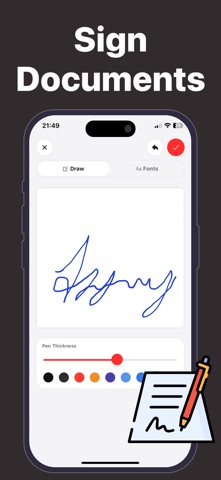
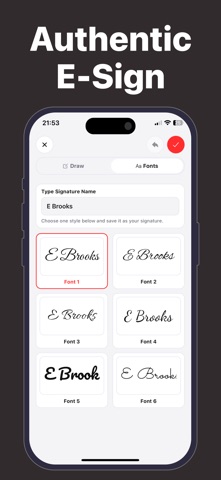
Signing a PDF should take seconds, not a trip to the printer. Signature Scanner is the fastest way to sign, fill, and scan documents right from your iPhone — professional results with no printing and no hassle. Sign any PDF or photo in under a minute. Draw your signature, type it in a handwritten-style font, or scan your real ink signature from paper, then drop it onto any document with a tap. KEY FEATURES - Scan Your Real Signature Snap a photo of your handwritten signature and the app instantly removes the background, creating a clean, transparent PNG you can reuse on any file. - Sign Documents Instantly Open any PDF or image, place your signature with a tap, and resize it to fit perfectly. Sign contracts, invoices, and forms in seconds. - Fill Forms & Auto-Date Add custom text boxes and stamp the date with a single touch. Complete any form without printing a page. - Multi-Page PDF Scanner Use your camera to scan multiple pages and merge them into one clean PDF, perfect for contracts on the go. - Signature Library Save and switch between multiple signatures, personal and professional, from your private library. - No Sign-Up, Fully Private Start signing immediately. No account, no email, no tracking. Your documents stay on your device. WHY SIGNATURE SCANNER? Speed: signed and sent in under a minute. Authenticity: use your real ink signature for a professional look. Simplicity: a clean, intuitive interface with zero learning curve. Privacy: no account means you stay in full control. Go paperless and sign smarter with Signature Scanner. Support: talhayavcin23@gmail.com Privacy Policy: https://talhayavcin.github.io/legal/signapp/privacy.html Terms of Use: https://talhayavcin.github.io/legal/signapp/terms.html
What's new · 1.0.4
Bug fixes and improvements
Details