
Chart standing · US
What changed · US
Listing changes AppTracker has observed for this app in this storefront — new versions, price moves, rating shifts, and store copy.
Screenshots


About
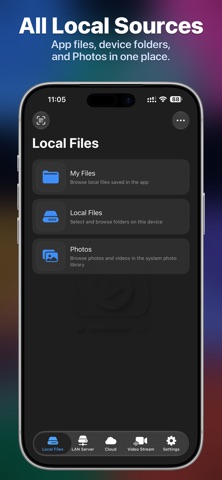
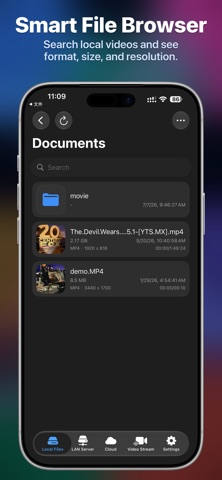
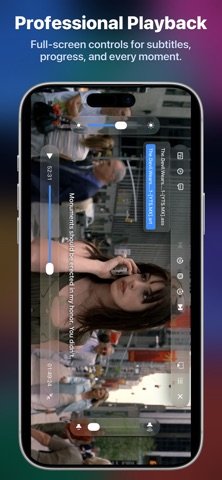
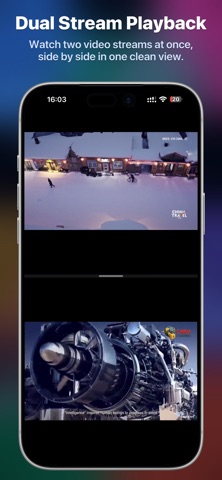
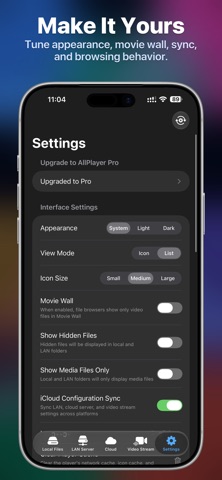
AllPlayer is an all-in-one video player and media manager for Apple devices. It supports iPhone, iPad, Mac, Apple TV, and Apple Vision Pro, helping you play, browse, organize, and manage personal media. Open local files, Photos, NAS / LAN servers, cloud storage, media servers, and online streams. Connect home servers and cloud drives, manage live streams, cache authorized streams, watch on Apple TV, or enjoy immersive cinema playback on Apple Vision Pro. -- Main Features -- -- Local Playback -- Play common video formats without frequent conversion, including MP4, MOV, M4V, MKV, AVI, FLV, WMV, TS, M2TS, MPG, MPEG, VOB, RMVB, 3GP, WEBM, OGV, and more. -- Audio, Images, and Subtitles -- Supports MP3, M4A, AAC, FLAC, WAV, AIFF, OGG, OPUS, WMA, APE, ALAC, and more. Browse JPG, PNG, HEIC, GIF, BMP, TIFF, WEBP, and other image formats. External SRT, VTT, ASS, and SSA subtitles can load from the same folder. -- ISO and Disc Structures -- Play ISO disc images and recognize Blu-ray / BDMV and DVD / VIDEO_TS structures for personal video collections. -- Photos Library -- Browse, play, and manage videos and images from your Photos library inside AllPlayer. -- LAN Media Library -- Add SMB, WebDAV, FTP, SFTP, NFS, and DLNA / UPnP servers to browse NAS devices, home servers, router drives, and shared folders. Server discovery helps find devices quickly. -- Media Servers -- Connect Plex, Jellyfin, and Emby to browse and play your home media library in one place. -- Cloud Storage and NAS -- Connect OneDrive, Google Drive, Dropbox, Box, Yandex.Disk, Baidu Netdisk, MEGA, Synology NAS, fnOS, and more. Browse, play, and manage cloud media directly. -- Apple TV Support -- Browse local files, LAN servers, cloud storage, and online streams on Apple TV. Use AllPlayer on your phone to scan a QR code and send server or login information to Apple TV. -- Movie Wall -- Movie Wall works with local and LAN media. AllPlayer can match movie and TV metadata from filenames and show posters, ratings, years, genres, overviews, cast, and more. If no online poster is available, it can generate fallback posters from video frames or local artwork. -- Online Streams -- Add m3u8, FLV, MP4, MOV, and other stream URLs, including selected live-room links. Manage stream lists with search, sorting, link copying, sharing, and configuration import/export. -- Quality Selection -- For streams with multiple sources, switch between original, high, standard, medium, and low quality when available. -- Live Stream Caching -- Cache and save currently playing video streams as local files for later viewing and organization when authorized. -- Dual Stream Split View -- On iPhone in landscape or on iPad, play two streams at the same time and drag to adjust the split ratio. Useful for live events, sports, monitoring, courses, and information streams. -- File Management -- Search, sort, create folders, delete, copy, move, and rename files. Browsing settings can show only media files or display hidden files. -- Playback Controls -- Supports play / pause, seeking, playback speed, aspect ratio, fullscreen, playlists, autoplay next media, history resume, AirPlay, Picture in Picture, and background playback. -- Sharing, Import, and Sync -- Import files or stream URLs from the system share sheet. Import, export, and share stream configurations. LAN servers, cloud connections, and stream configurations can sync across Apple devices. -- Apple Vision Pro -- On visionOS, AllPlayer offers immersive cinema playback with adjustable virtual screens, cinema environments, subtitles, playlists, and spatial controls. Side-by-side and over-under 3D videos are supported. AllPlayer is useful for local video collections, NAS playback, cloud media, LAN libraries, m3u8 playback, live streams, course videos, Photos browsing, Apple TV big-screen playback, and Apple Vision Pro immersive viewing.
What's new · 1.0.12
-- What's New -- 1. DLNA / UPnP Cast Receiver AllPlayer can now act as a media renderer on your local network, receiving casts from other devices and media apps with support for play, pause, seek, volume, and mute controls. Custom broadcast names are available on iPhone, iPad, and Mac. 2. Playback Gestures and Shortcuts Full-screen playback on iPhone and iPad now supports press-and-hold 2× playback and horizontal swipes to skip backward or forward by 10 seconds. Remote seeking is also improved on Apple TV. 3. Aspect Ratio Controls Added Original, 16:9, 4:3, 1:1, 21:9, and custom width-to-height ratios for more flexible video display. 4. Grouped Video Streams Video streams can now be grouped by source type, with improved live status refresh and sorting for easier browsing and management. -- Fixes and Improvements -- 1. Fixed cases where playback could restart from the beginning or restore an incorrect position after seeking or switching decoders, and improved volume and mute state persistence. 2. Improved player menus, remote focus, back and exit behavior, and online subtitle input on Apple TV. 3. Improved compact player controls, multi-stream ratio adjustments, and layout selection. 4. Refined watched, favorite, and watch-later indicators, playback progress, and Apple TV focus navigation in Media Center. 5. Improved casting settings, service status, error messages, and retry flows, and fixed interface issues when opening the player from Photos or the LAN browser.
Details