

Simple HTML Editor
YUKI TANAIKE · Education
Independent analytics for this App Store listing. AppTracker is not affiliated with YUKI TANAIKE.
Chart standing · US
What changed · US
Listing changes AppTracker has observed for this app in this storefront — new versions, price moves, rating shifts, and store copy.
• Added an option to show or hide indentation. • Fixed several bugs.
Price & rating history · US
Reconstructed from the listing changes AppTracker has observed in this storefront. A field is charted once it has changed more than once, and each line starts at the value it moved from.
Average rating · ★ 3.00 now · 2 changes on record
In-app purchases · US
What this app sells inside itself, grouped by kind and priced for this storefront.
Screenshots




About
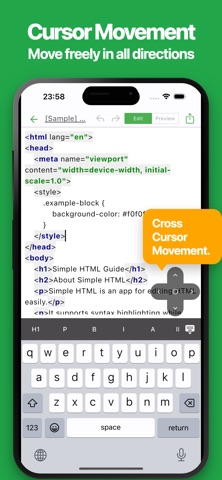
This is a simple and easy-to-use app for editing HTML. Write HTML with syntax highlighting and easily insert links, images, and tables. It is also perfect for learning HTML. It is used in situations such as: - Learning HTML - Taking notes in HTML format - Creating a simple web page Since it can be used for anything managed with HTML, users have reported many creative use cases. If you want to create HTML, give it a try. ■ Features - Intuitive UI Simplicity matters. The app is fast and easy to use, allowing you to edit content effortlessly. - Smooth switching to preview Simply swipe the screen left or right to switch between the edit screen and the preview screen. - Easy cursor movement You can move up, down, left and right with the cross cursor button. Easier movement makes editing smoother. - Auto Save Your edits are automatically saved, so you never lose your work. - Ready to Use No account required. Start using the app immediately. - Export & Share Export your content and share it or continue editing on your PC. - Dark Mode Support Comfortable to use even at night with dark mode support.
What's new · 1.2.0
• Added an option to show or hide indentation. • Fixed several bugs.
Details