

Sign Documents: Fill & Sign
建元 李 · Utilities
Independent analytics for this App Store listing. AppTracker is not affiliated with 建元 李.
Chart standing · US
What changed · US
Listing changes AppTracker has observed for this app in this storefront — new versions, price moves, rating shifts, and store copy.
Ratings breakdown · US
The star breakdown behind this app's rating in this storefront.
In-app purchases · US
What this app sells inside itself, grouped by kind and priced for this storefront.
Screenshots


About
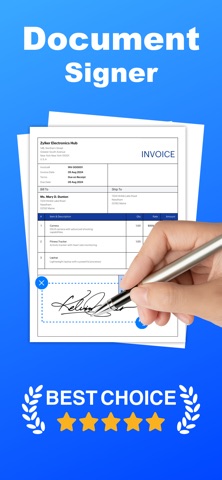
Sign Documents lets you add handwritten signatures to PDFs and images on your iPhone. • Import from Files or Photos, or open PDFs shared from other apps (e.g. Mail, WeChat) • Draw your signature and place it anywhere—resize and adjust with ease • Work through multi-page PDFs and export or share the result • Privacy-first: processing stays on your device; we don’t upload your documents Ideal for contracts, forms, invoices, and any quick e-sign workflow. SUBSCRIPTION INFO: Subscribe to take advantage of the features described above. • Subscription length: monthly, yearly • Your payment will be charged to your iTunes Account as soon as you confirm your purchase. • You can manage your subscriptions and turn off auto-renewal from 'Settings > iTunes Account & App Store > Apple ID > Subscriptions' • Your subscription will renew automatically unless you turn off auto-renew at least 24 hours before the end of the current period. • The cost of renewal will be charged to your account 24 hours before the end of the current period. • When canceling a subscription, your subscription will stay active until the end of the period. Auto-renewal will be disabled, but the current subscription will not be refunded. Terms of use: https://prettyboamedia.com/ Privacy policy: https://prettyboamedia.com/privacy-policy/ Inquiry: help4pdfsign@gmail.com
What's new · 2.0
Thanks for your support! We’ve enhanced the handwriting experience—signatures are now smoother and more natural than ever. Update now and try it out!
Details