

Audio Extractor: MP3 Converter
AppsOverflow LLC · Utilities
Independent analytics for this App Store listing. AppTracker is not affiliated with AppsOverflow LLC.
Chart standing · US
Screenshots



About
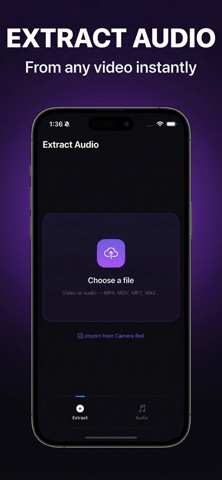
Audio Extractor makes it easy to turn video into audio on iPhone. Import a video from Files or Camera Roll, choose your format and quality, and save a clean audio file in seconds. You can also import audio files for quick trimming, playback, and export. Whether you want to pull audio from a video, save a voice track, keep a lecture, extract sound from a recording, or create a shareable clip, Audio Extractor gives you a simple workflow from import to export. Why Audio Extractor Audio Extractor is built for speed, clarity, and convenience. The app focuses on the core tools people actually need in a video to audio converter without adding unnecessary complexity. What you can do Extract audio from video quickly Choose from MP3, WAV, AAC, M4A, and FLAC Select the output quality that fits your needs Trim audio before saving Play your exported files in the built in player Review file size, duration, format, and quality at a glance Keep your converted audio organized in one place Share audio files when you are ready Designed for everyday use Use Audio Extractor for content clips, interviews, voice notes, podcasts, study recordings, meetings, and personal media you want in audio form. Import from Files or Camera Roll, export in the format you need, and keep moving. Simple and private Audio Extractor is designed for a smooth on device workflow, so your media stays in your control while you convert, trim, save, and share. Free to try Audio Extractor includes a free experience with optional premium access available through a subscription. Privacy Policy: https://www.termsfeed.com/live/87160d0b-8a6b-4677-a4ab-23e0be955296 Terms of Use: https://docs.google.com/document/d/1Np8BKzgu_6-OwyMkFV8wmzZqcJbCFhYZfK5HBLKeI78/edit?usp=sharing
Details