

Scriptoria - Choose Your Tale
Summit Medical Center, LLC · Utilities
Independent analytics for this App Store listing. AppTracker is not affiliated with Summit Medical Center, LLC.
Chart standing · US
What changed · US
Listing changes AppTracker has observed for this app in this storefront — new versions, price moves, rating shifts, and store copy.
Price & rating history · US
Reconstructed from the listing changes AppTracker has observed in this storefront. A field is charted once it has changed more than once, and each line starts at the value it moved from.
Average rating · ★ 4.56 now · 2 changes on record
Ratings breakdown · US
The star breakdown behind this app's rating in this storefront.
In-app purchases · US
What this app sells inside itself, grouped by kind and priced for this storefront.
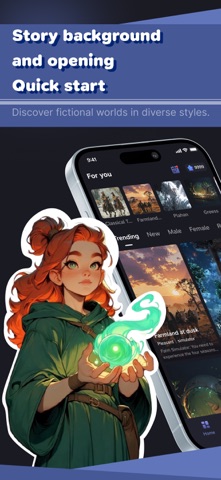
Screenshots



Keywords this app targets
Search terms AppTracker associates with this app — estimates, not search volume. ❝ = in the app's title; a highlighted number is its current position for that term.
Similar apps
Competitors and close alternatives, as estimated by AppTracker.
 Omnisys: AI Interactive Story
MTWD HOLDINGS, INC.
3 shared topics
Omnisys: AI Interactive Story
MTWD HOLDINGS, INC.
3 shared topics
 Loreia – Chat with AI Friends
RJV Construction, Corp.
2 shared topics
Loreia – Chat with AI Friends
RJV Construction, Corp.
2 shared topics
 Questara - Immersive AI Story
SEAREY HOLDING LIMITED
1 shared topic
Questara - Immersive AI Story
SEAREY HOLDING LIMITED
1 shared topic
 Scriptoria Book
Viktor Fryzh
Scriptoria Book
Viktor Fryzh
 The Stories We Tell
Cory Gouldman
The Stories We Tell
Cory Gouldman
 Meloworlds - Realm in Words
ARMO BioSciences, Inc.
Meloworlds - Realm in Words
ARMO BioSciences, Inc.
 Glee - Interactive Stories
Md Arman Alam
Glee - Interactive Stories
Md Arman Alam
 Dramatia – Inside the AI World
Fortney & Weygandt, Inc.
Dramatia – Inside the AI World
Fortney & Weygandt, Inc.
About
HOW IT WORKS Scriptoria begins with immersive text scenes and gives you a clear point to continue from. Read the setup, choose how the moment should move forward, and build the next part through your own decisions. Each session grows from the path you take, creating a story flow shaped by your input. A CONVERSATION WITH THE STORY Scriptoria is designed as an exchange between the reader and the narrative. The app presents a scene, offers possible directions, and continues the text based on the choice you make. The focus stays on story movement, written atmosphere, and step-by-step progression. CHOICE-LED SESSIONS Your choices help guide how each session develops. A reply may shift the tone, open a new direction, or continue the current passage. Scriptoria keeps the selected setup and recent context together so the story can remain connected as you move forward. A PRIVATE STORY SPACE Your sessions are not published to public feeds or shared with other users. Scriptoria does not include open social chat, public profiles, or community posting. If cloud processing is used to continue a story, text is handled only to provide the app experience, as described in the privacy policy. BUILT FOR TEXT IMMERSION Scriptoria is made for users who enjoy interactive text stories, guided scenes, and choice-based storytelling. The interface keeps the written passage at the center, with sessions that can be paused and continued later. Start with a scene, choose the next step, and let the story unfold through text.
Details