

TV Remote: Smart WiFi Control
Ankit Seth · Utilities
Independent analytics for this App Store listing. AppTracker is not affiliated with Ankit Seth.
Chart standing · US
What changed · US
Listing changes AppTracker has observed for this app in this storefront — new versions, price moves, rating shifts, and store copy.
Minor improvements to the app's experience.
Price & rating history · US
Reconstructed from the listing changes AppTracker has observed in this storefront. A field is charted once it has changed more than once, and each line starts at the value it moved from.
Average rating · ★ 4.43 now · 11 changes on record
Ratings breakdown · US
The star breakdown behind this app's rating in this storefront.
In-app purchases · US
No in-app purchases.
Screenshots


About
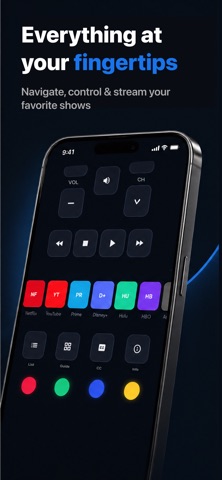
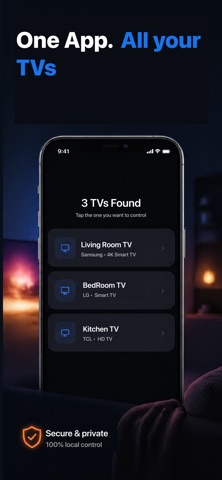
Turn your phone into a powerful universal remote for your Smart TV. No extra hardware needed — just connect to the same WiFi network as your TV and take control instantly. EASY SETUP Open the app, and it automatically discovers your TV on the network. No complicated pairing codes or manual configuration — just tap and connect. FULL REMOTE CONTROL Everything you need, right on your phone: - D-Pad navigation with OK/Select - Volume up, down, and mute - Channel up and down - Power on and off - Home, Back, Menu, and Exit buttons - Media controls: Play, Pause, Stop, Rewind, Fast Forward - Number pad for direct channel entry - Input/Source selector (HDMI, AV, USB, and more) - Color buttons (Red, Green, Yellow, Blue) SMART TOUCHPAD Navigate your TV like a laptop trackpad. Swipe to move, tap to select, and scroll through menus with natural gestures. Adjustable sensitivity so it feels just right. QUICK APP LAUNCHER Launch your favorite streaming apps with one tap — no more scrolling through menus. SAVE MULTIPLE TVs Control every TV in your home. Save your devices and switch between them instantly — bedroom, living room, office — all from one app. CUSTOMIZABLE - Choose haptic feedback intensity - Adjust button size - Toggle button sounds - Keep screen on while using the remote - Auto-connect to your last used TV - Dark and AMOLED themes REQUIREMENTS Your phone and TV must be on the same WiFi network. Your TV must be a Smart TV with network connectivity. Lost your remote? Broke your remote? Or just want something better? Download now and never search between couch cushions again. Premium: TV Remote Premium is available as an auto-renewing monthly or yearly subscription, or as a one-time lifetime purchase. Payment is charged to your Apple ID at confirmation of purchase. Subscriptions renew automatically unless cancelled at least 24 hours before the end of the current period, and your account is charged for renewal within the 24 hours before the period ends. You can manage or cancel your subscription anytime in your Apple ID account settings. Terms of Use (EULA): https://www.apple.com/legal/internet-services/itunes/dev/stdeula/ Privacy Policy: https://fundeasy.in/tv-remote-privacy-policy/
What's new · 1.1.1
Minor improvements to the app's experience.
Details