

MP3 Cutter: Audio Editor
Cloud Motion Lab LLC · Utilities
Independent analytics for this App Store listing. AppTracker is not affiliated with Cloud Motion Lab LLC.
Chart standing · US
What changed · US
Listing changes AppTracker has observed for this app in this storefront — new versions, price moves, rating shifts, and store copy.
Deeper zoom: pinch in until about two seconds fill the screen, then place your cut exactly on the beat or the word. Long recordings now load much faster. Plus fixes and polish.
Ratings breakdown · US
The star breakdown behind this app's rating in this storefront.
In-app purchases · US
What this app sells inside itself, grouped by kind and priced for this storefront.
Screenshots


About
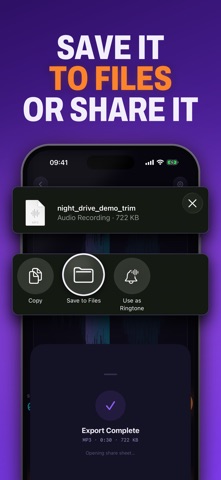
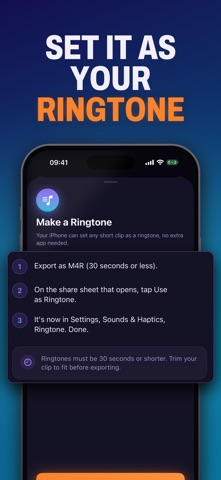
Cut the part you want and keep it. MP3 Cutter opens your music, voice memos, podcasts, recordings, and the audio inside any video, then lets you keep just the section that matters. Pick a file or import a video and the sound pulls in instantly, with a live progress bar so you are never stuck staring at a frozen screen. Slide two handles to the start and end of the part you care about. Listen to the preview. Export. The clip lands ready to share, set as a ringtone, or save for later. Shape the sound, not just the length: Reverse flips the whole track so it plays backward. Speed changes the tempo smoothly, faster or slower. Normalize lifts a quiet clip up to a full, even level. Fade eases the start and end in and out so there are no harsh cuts. Gain nudges the overall volume exactly where you want it. Your work is never lost. Every cut is kept in a Projects library and reopens right where you left off, so you can start on the train and finish at home. Everything happens on your device. No uploading, no waiting on a server, no quality loss. The original file stays untouched on your phone. Works with mp3, m4a, wav, aac, aiff, caf, and audio extracted from video. Export to mp3, wav, or m4a. Plays back at the same quality you imported. Use it to: Pull the one good line out of a long voice memo. Save a one-minute highlight from an hour-long lecture. Crop a podcast intro before you save it for the road. Turn a song you already own into a custom ringtone. Split a long recording into parts you can rename and reopen later. Built for people who want a clean audio cut without learning a full studio. Tap, drag, shape, export. That is the whole flow. Made by Cloud Motion Lab. cmlapps.github.io/mp3cutter Privacy: https://cmlapps.github.io/mp3cutter/privacy.html Terms: https://cmlapps.github.io/mp3cutter/terms.html Support: dev@slyapp.co
What's new · 1.6.2
Deeper zoom: pinch in until about two seconds fill the screen, then place your cut exactly on the beat or the word. Long recordings now load much faster. Plus fixes and polish.
Details