

FrameFlo: AI Video Smoother
Shota Yamada · Photo & Video
Independent analytics for this App Store listing. AppTracker is not affiliated with Shota Yamada.
Chart standing · US
What changed · US
Listing changes AppTracker has observed for this app in this storefront — new versions, price moves, rating shifts, and store copy.
Pro is now clearly visible once you've bought it. • A PRO badge in the toolbar opens a screen listing everything you've unlocked • Purchases and restores now explain why when they don't go through • Fixed a rare issue where a completed purchase could revert to the free tier
Price & rating history · US
Reconstructed from the listing changes AppTracker has observed in this storefront. A field is charted once it has changed more than once, and each line starts at the value it moved from.
Average rating · ★ 4.75 now · 3 changes on record
Ratings breakdown · US
The star breakdown behind this app's rating in this storefront.
Screenshots
About
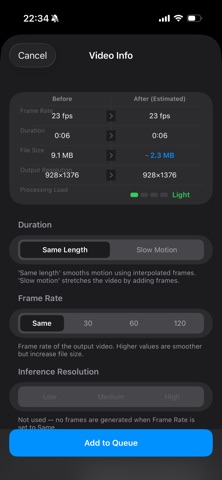
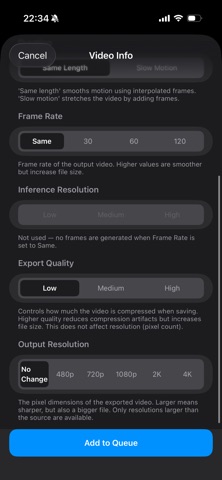
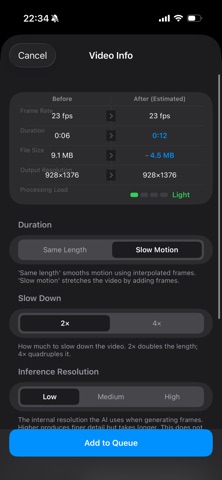
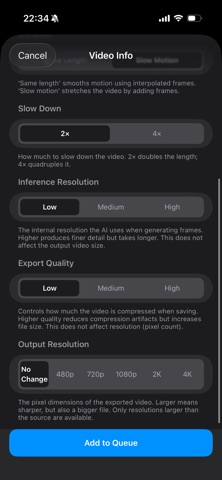
FrameFlo uses AI to interpolate frames and make your videos buttery smooth — entirely on your device. Whether you want ultra-smooth 60fps playback or dramatic slow motion, FrameFlo delivers natural-looking results powered by the RIFE neural network. WHY FRAMEFLO? • 100% On-Device — your videos never leave your iPhone • Fast & Private — no accounts, no cloud, no waiting • Simple — pick a video, choose your settings, done FEATURES • AI Frame Interpolation (RIFE algorithm) • Before/After split-screen comparison • Queue multiple videos for batch processing • Background processing (Pro) PRO — one-time payment • Save slow-motion videos (free: preview only) • Videos of any length (free: 10 sec limit) • 120fps output • Output resolution options (480p–4K) • High-quality export • High-precision AI inference • Queue up to 10 videos at once • Background processing No subscription. Pay once, use forever.
What's new · 1.74
Pro is now clearly visible once you've bought it. • A PRO badge in the toolbar opens a screen listing everything you've unlocked • Purchases and restores now explain why when they don't go through • Fixed a rare issue where a completed purchase could revert to the free tier
Details