

Scan2CSV Fast Code Scanner
John Roth · Business
Independent analytics for this App Store listing. AppTracker is not affiliated with John Roth.
Chart standing · US
Screenshots



About
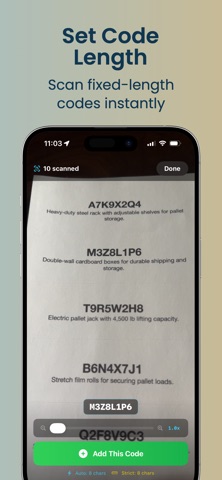
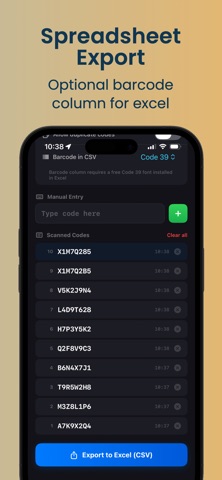
Stop typing codes manually. Scan2CSV is built for capturing fixed-length letter and number codes instantly without mistakes and exporting them as clean data or barcode formats. Key Benefits • Scan codes instantly using your camera • Eliminate manual typing and reduce errors • Capture consistent, structured data • Export to CSV (Excel-ready) or barcode format Scan2CSV is designed for speed, precision, and real-world workflows: • Set a fixed code length for faster scanning • Automatically capture codes when length matches • Filter out incorrect or unwanted scans • Optional duplicate detection • Export codes as barcode-formatted data (Code 39) Perfect for • Warehouse workflows • Serial number tracking • Product labeling systems • Inventory and asset management • Converting codes into scannable barcodes How it works: 1. Set your code length 2. Scan codes continuously 3. Instantly capture valid entries 4. Export to CSV or barcode format Capture codes faster. Export them smarter. Download Scan2CSV and streamline your workflow.
What's new · 1.2.0
Batch Scanning Organize your work into batches — create separate sessions for different aisles, pallets, or jobs. Switch between batches anytime and export them individually or all at once. Code Pattern Matching Set an exact pattern for your codes using L (letter), # (number), and - (symbol). For example, LL-#### tells the scanner to expect two letters, a dash, and four numbers. The scanner will only pick up codes that match your pattern and auto-correct common OCR mix-ups like O/0 and I/1 based on what each position expects. Edit Scanned Codes Tap the pencil icon on any code to fix typos or OCR errors right in the list. No need to delete and re-scan. Other Improvements • Edit and delete buttons are now larger and easier to tap • Export CSV files now include the batch name in the filename • "Row" column renamed to "Item" in exports for clarity • Free scan limit now counts across all batches
Details