

Tracket Motion
Oleksandr Ksondzyk · Photo & Video
Independent analytics for this App Store listing. AppTracker is not affiliated with Oleksandr Ksondzyk.
Chart standing · US
What changed · US
Listing changes AppTracker has observed for this app in this storefront — new versions, price moves, rating shifts, and store copy.
Updated motion tracking.
Price & rating history · US
Reconstructed from the listing changes AppTracker has observed in this storefront. A field is charted once it has changed more than once, and each line starts at the value it moved from.
Average rating · ★ 4.58 now · 28 changes on record
Ratings breakdown · US
The star breakdown behind this app's rating in this storefront.
In-app purchases · US
What this app sells inside itself, grouped by kind and priced for this storefront.
Screenshots





About
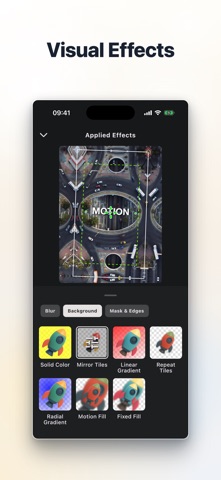
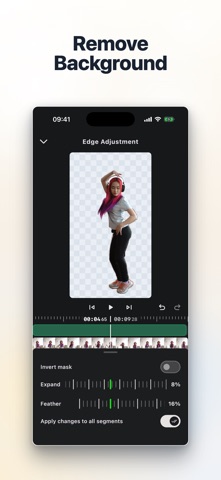
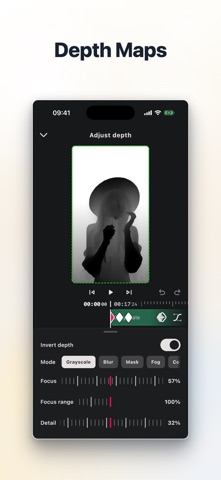
Track motion, stabilize footage, and build layered video edits in one timeline. Tracket is a mobile video editor built for motion. Follow objects, attach overlays to their movement, stabilize shaky clips, create subject cutouts, and finish the edit without leaving your project. Motion tracking • Track a selected region with up to four targets, with position, rotation, scale, affine, or perspective motion where supported • Choose Fast or Advanced tracking and refine the motion applied to your edit • Attach or detach text, images, videos, and stickers from tracked motion • Refine position, scale, rotation, opacity, and more with keyframes Video stabilization • Stabilize main clips and video overlays • Choose Simple, Standard, or Cinematic motion models • Adjust stabilization strength and framing with crop, scale, or extend options Cutout and creative layers • Separate subjects from the background with Subject or Selfie selection on supported devices • Track cutouts through a clip and refine mask edges • Combine video, image, text, sticker, and audio layers • Apply effects, blend modes, and opacity controls Depth and color tools • Style depth with blur, masks, fog, contours, grayscale, heatmaps, and duotone looks • Animate detailed color adjustments with keyframes and start from built-in or custom presets Timeline and audio editing • Split, reorder, duplicate, replace, and trim clips • Create speed changes and precision speed curves • Extract audio, add music, and adjust volume and fades • Compose for vertical, horizontal, square, and cinematic aspect ratios Preview and export • Use proxy media and adjustable preview resolution for demanding projects • Export up to 4K and 60 fps with selectable quality Tracket can be used free with ads and a watermark. Upgrade to Pro for advanced stabilizer controls and export options, ad-free editing, and watermark-free exports. Terms of Use (EULA): https://www.apple.com/legal/internet-services/itunes/dev/stdeula/
What's new · 0.9.39
Updated motion tracking.
Details