

VirtuCamera 2
The Weird Byte SL · Graphics & Design
Independent analytics for this App Store listing. AppTracker is not affiliated with The Weird Byte SL.
Chart standing · US
What changed · US
Listing changes AppTracker has observed for this app in this storefront — new versions, price moves, rating shifts, and store copy.
Fixed app crash on launch on iOS 27
Price & rating history · US
Reconstructed from the listing changes AppTracker has observed in this storefront. A field is charted once it has changed more than once, and each line starts at the value it moved from.
Average rating · ★ 3.31 now · 6 changes on record
Ratings breakdown · US
The star breakdown behind this app's rating in this storefront.
In-app purchases · US
What this app sells inside itself, grouped by kind and priced for this storefront.
Screenshots
Keywords this app targets
Search terms AppTracker associates with this app — estimates, not search volume. ❝ = in the app's title; a highlighted number is its current position for that term.
Similar apps
Competitors and close alternatives, as estimated by AppTracker.




About
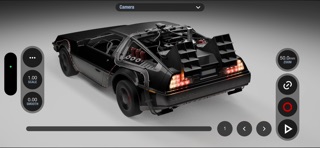
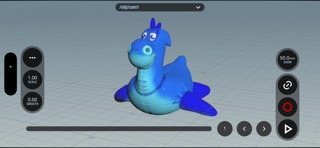
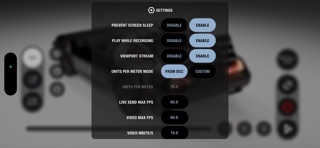
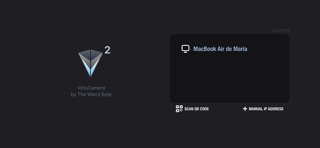
An essential tool for Previs and Layout Artists, Animators and any 3D Artist that needs to animate a camera. Move your device in any direction, VirtuCamera will capture the motion and instantly send it over Wi-Fi to the camera in your favorite DCC. - Live Viewport Streaming See your scene through the App in real time. VirtuCamera streams the viewport over Wi-Fi so you don’t miss any detail. - Control the scene from the App Control the playback, choose from your scene cameras, animate the focal length or scale camera movements to travel long distances. - Up to 60 FPS Device motion and viewport streaming are captured and sent at up to 60 frames per second. You can configure this parameter at your needs. - Camera Smoothing Remove unwanted hand noise and create smooth camera animations. - Encrypted Connection Ensures modern, industry-standard encryption for maximum protection. Keeps your video streams fully private between the server (DCC plugin), and app. Specially created for Movies, Series, Games and any other IP protected project. Because your privacy is important to us. - New Pro features! - on Screen joysticks, support for bluetooth gamepads, slider presets, custom scripts, custom sliders, dolly zoom mode, extra camera controls and rule of thirds grid overlay. This app requires an external 3D content creation software to work, please take a look at the following minimum system requirements: - A computer powerful enough to play your 3D scenes. - A recent version of Windows®, MacOS® or Linux® operating system. - A stable network connection. - The latest version of the plug-in provided in our webpage. - One of the following DCC softwares: Blender®: 4.5 LTS, 5.0, 5.1, 5.2 LTS Autodesk® Maya®: 2026, 2027 SideFX® Houdini®: 20.5(QT6), 21.0, 22.0 Maxon® Cinema4D®: 2026 Autodesk® 3dsMax®: 2026, 2027 Foundry® Nuke®: 16, 17 Here you can find the installation guide for the plugin: https://virtucamera.com/how-tos/ Terms And Conditions: https://virtucamera.com/terms-and-conditions
What's new · 2.1.2
Fixed app crash on launch on iOS 27
Details