

MakeLive: live photo converter
Loomi Trading Company LLC · Photo & Video
Independent analytics for this App Store listing. AppTracker is not affiliated with Loomi Trading Company LLC.
Chart standing · US
What changed · US
Listing changes AppTracker has observed for this app in this storefront — new versions, price moves, rating shifts, and store copy.
Batch export performance is improved on older devices.
Ratings breakdown · US
The star breakdown behind this app's rating in this storefront.
In-app purchases · US
What this app sells inside itself, grouped by kind and priced for this storefront.
Screenshots



About
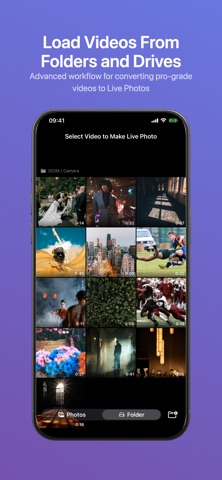
Turn any video into a Live Photo with MakeLive. Pick a video from your library, trim it down to the perfect moment, choose your thumbnail frame, and save it as a real Live Photo — complete with the long-press animation you know and love. New in 1.40: convert up to 20 videos at once with Batch Export. Features: - Select any video from your photo library - Trim up to 3 seconds with precise drag handles (up to 10 seconds with Extended Trim) - Overview timeline for quick navigation in long videos - Pick the exact still frame for your Live Photo thumbnail - Batch Export: convert up to 20 videos at once (in-app purchase) - Swipe across thumbnails to select multiple videos quickly - Import videos from external drives, SD cards, and folders (in-app purchase) - Customize your default trim length in Settings - Preview your Live Photo before saving - Saves as a proper Live Photo to your library - MakeLive Pro: one purchase unlocks every current and future Pro feature Perfect for turning your favorite video moments into Live Photo wallpapers or shareable memories — whether it's a single clip or an entire vacation album.
What's new · 1.52
Batch export performance is improved on older devices.
Details