
Chart standing · US
Ratings breakdown · US
The star breakdown behind this app's rating in this storefront.
Screenshots



About
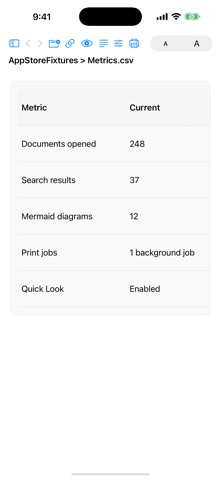
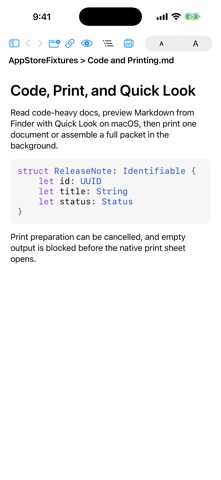
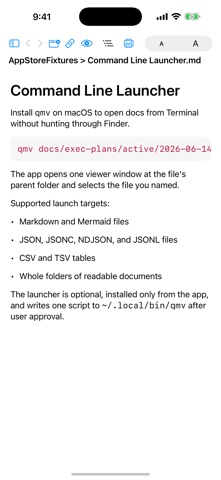
Quick Markdown Viewer is a local-first reader for Markdown folders, documentation packets, CSV/TSV tables, and media-rich notes on Mac, iPhone, and iPad. Open a folder of files you already have, or open a public GitHub repository URL when you need to inspect remote docs. The app keeps reading fast and direct: no account, no subscription, no in-app purchase, and no tracking layer. Features: - Open local folders and browse Markdown, CSV, and TSV files in a file sidebar - Open JSON, JSONC, NDJSON, and JSONL files with collapsible structured rows - Read JSON-family fenced code blocks inside Markdown without switching apps - Expand and collapse folders, filter large file trees, and use keyboard navigation on macOS - Search the current document with Command-F or all open documents with Command-Shift-F - Click search results in the sidebar to jump to matches highlighted in the document - Read Markdown with native rendering for headings, lists, tables, code blocks, links, images, GIFs, and local video - Render Mermaid diagrams natively, then zoom and pan diagram previews - Detach Mermaid diagram previews into resizable macOS windows - Open a document outline, jump to headings, and track the current section while reading - Open CSV and TSV files as native tables with controls for wrapping and sizing - Preview linked media without converting your Markdown files - Print the current document or assemble a cancellable background Print All packet - Preview Markdown from Finder with the macOS Quick Look extension - Install the optional `qmv` command-line launcher on macOS and open supported files directly from Terminal - Open public GitHub repository and repository tree URLs, including branch and tag paths - Hide dependency and vendor folders with editable ignore patterns per window - Navigate between files with back and forward history - Adjust viewer font size for comfortable reading Quick Markdown Viewer is designed to stay lightweight and direct: - no account required - no subscription - no in-app purchase - no tracking - no web view renderer
What's new · 1.7
This update improves folder context in the reader and adds structured JSON-family reading: - Show the full folder path in the header for files opened from nested folders - Keep the selected file's ancestor folders visible above the scrolling file sidebar - Open JSON, JSONC, NDJSON, and JSONL files in a collapsible structured viewer - View JSON-family fenced blocks inside Markdown with source/viewer controls - Keep original source line numbers visible while expanding, collapsing, and reading pretty JSON rows - Quick Look previews now support JSON-family files with bounded native previews - `qmv /path/to/file` on macOS now cold-starts directly to the file's parent folder with that file selected - App-level file opens now cover Markdown, Mermaid, JSON-family files, CSV/TSV tables, and folders
Details