

Exiframer : Photo Frame & Exif
Takao Sunagawa · Photo & Video
Independent analytics for this App Store listing. AppTracker is not affiliated with Takao Sunagawa.
Chart standing · US
What changed · US
Listing changes AppTracker has observed for this app in this storefront — new versions, price moves, rating shifts, and store copy.
- More Fonts & Categories: Added new fonts organized by style to easily match your photos. - First-Line Text Sizing: Customize the first text line size (40–300%) with reorganized bold controls. - New Lab Effects (Pro): Added retro-inspired "Pixel Art" and "Dither Print" effects. - Fixed an issue when updating presets, along with overall stability and performance improvements.
In-app purchases · US
What this app sells inside itself, grouped by kind and priced for this storefront.
Screenshots


About
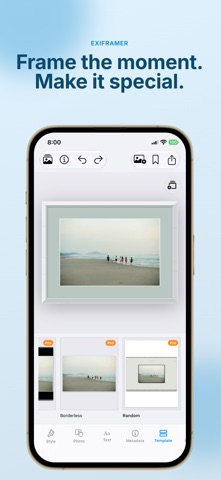
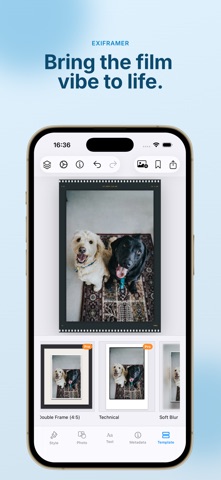
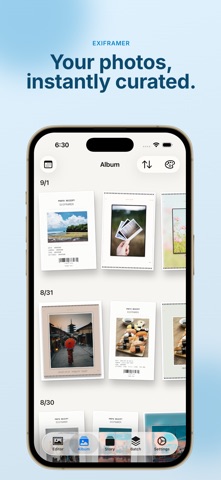
Shot on iPhone or with your favorite camera — turn it into a piece worth sharing. Exiframer frames your photos and videos with clean EXIF details, print-inspired lab looks, and social-ready layouts. Built for people who love taking pictures and care how they look when they leave the camera roll. ■ Made for camera lovers & iPhone shooters • Mirrorless, DSLR, or iPhone — auto-read EXIF and lay it out beautifully • Show camera, lens, aperture, shutter, ISO, date, and place • Print-style lab looks (risograph, cyanotype, thermal receipt, and more) plus film-like grain • Everything runs on your device — your photos stay private ■ Beautiful EXIF frames Your shooting data becomes part of the design, not a tiny caption dump. • Camera / lens / focal length / F-number / shutter / ISO / exposure / date & time • Place names from GPS (via Apple Maps) • Edit camera info, title, and photographer name anytime ■ Frames for every vibe Classic, Camera, Phone, Square, Social (4:5 / 1:1), Cinematic, Card, L-print, Technical, Story (9:16), Borderless, and more. Tune corner radius, shadow, mat, fonts, colors, and background blur until it feels like your shot. ■ Lab & retro looks Go beyond a simple border. Add print-inspired styles and subtle noise so the frame feels like a finished print — perfect for camera dumps and everyday iPhone moments. ■ Video & Reels The same framing quality on video. • Trim up to 60 seconds, mute if you want • Export high-quality MP4 • Film-perforation Reel style for a cinema look ■ Double frame for Instagram Add an outer 4:5 mat around your framed photo so Instagram doesn’t crop your work. Great for iPhone square shots and full-frame camera photos alike. ■ Batch & presets Apply one look to many photos at once. Save favorite designs as presets and reuse them in one tap. ■ Privacy first Photos, videos, and location data are processed on your device. We don’t upload your media to our servers. (Only GPS coordinates are sent through Apple’s system to resolve place names.) ■ Exiframer Pro Free covers the essentials. Pro unlocks: • Higher batch limits • Pro frames, themes, and fonts • Double Frame • More preset slots Choose monthly, yearly, or lifetime. Terms of Use (EULA): https://www.apple.com/legal/internet-services/itunes/dev/stdeula/
What's new · 2.6.0
- More Fonts & Categories: Added new fonts organized by style to easily match your photos. - First-Line Text Sizing: Customize the first text line size (40–300%) with reorganized bold controls. - New Lab Effects (Pro): Added retro-inspired "Pixel Art" and "Dither Print" effects. - Fixed an issue when updating presets, along with overall stability and performance improvements.
Details