

Charge: Mobile POS for Stripe
Summit Digital Group LLC · Business
Independent analytics for this App Store listing. AppTracker is not affiliated with Summit Digital Group LLC.
Chart standing · US
What changed · US
Listing changes AppTracker has observed for this app in this storefront — new versions, price moves, rating shifts, and store copy.
Fixed an issue that could prevent Stripe sign-in from opening on the first tap. Incomplete payment attempts are now hidden from transaction history, while actual failed payments remain visible.
Ratings breakdown · US
The star breakdown behind this app's rating in this storefront.
In-app purchases · US
No in-app purchases.
Screenshots


About
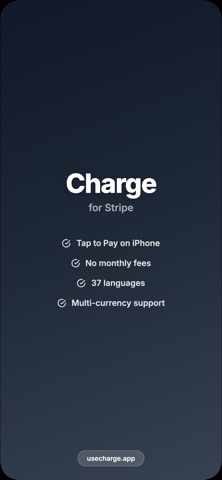
Turn your iPhone into a payment terminal. Charge connects to your Stripe account and lets you accept payments in seconds — no extra hardware, no monthly fees. TAP TO PAY ON iPHONE Accept contactless payments directly on your iPhone. Customers tap their card, phone, or watch — and you're done. No card reader needed. MANUAL CARD ENTRY Type in card details directly for phone orders or when contactless isn't available. Simple and secure. PRODUCTS & CUSTOMERS Build a product catalog with prices and quick-charge buttons. Save customer information for faster repeat transactions. Everything syncs with your Stripe dashboard. TIPS & TAX Built-in tip screen with customizable presets. Set your tax rate once and it's automatically applied to every charge. TRANSACTION HISTORY View past payments, issue full or partial refunds, and access receipt URLs — all from within the app. MULTI-CURRENCY & LOCALIZATION Support for multiple currencies and fully localized in 37 languages. Built for businesses everywhere. SECURE All payment data is handled by Stripe. Card numbers never touch our servers. Your Stripe credentials are stored securely in the iOS Keychain. LOWEST FEES Just 1% on top of Stripe's standard processing fees. No subscriptions, no minimums, no hidden costs. Pay only when you get paid. EASY SETUP 1. Download Charge 2. Connect your Stripe account 3. Start accepting payments Privacy Policy: https://usecharge.app/privacy.html Terms of Use: https://usecharge.app/terms.html EULA: https://www.apple.com/legal/internet-services/itunes/dev/stdeula/
What's new · 1.0.4
Fixed an issue that could prevent Stripe sign-in from opening on the first tap. Incomplete payment attempts are now hidden from transaction history, while actual failed payments remain visible.
Details