

Ink Now
Now Studio LLC · Books
Independent analytics for this App Store listing. AppTracker is not affiliated with Now Studio LLC.
Chart standing · US
What changed · US
Listing changes AppTracker has observed for this app in this storefront — new versions, price moves, rating shifts, and store copy.
Price & rating history · US
Reconstructed from the listing changes AppTracker has observed in this storefront. A field is charted once it has changed more than once, and each line starts at the value it moved from.
Average rating · ★ 3.00 now · 2 changes on record
Ratings breakdown · US
The star breakdown behind this app's rating in this storefront.
Screenshots



About
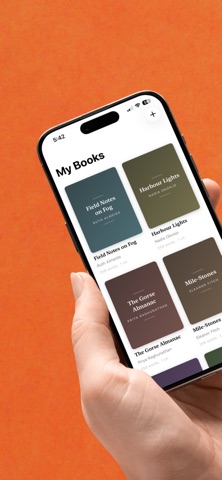
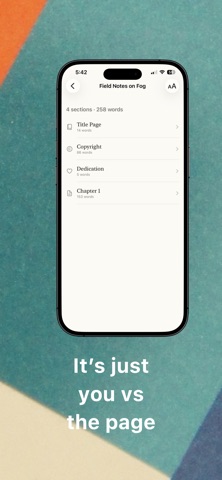
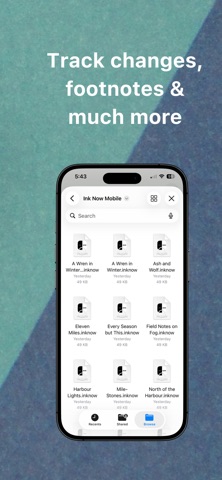
Ink Now is a full-power word processor and a book-design studio in one. Draft with everything your old word processor gave you, format with a designer's eye, and publish to every store — without leaving your desk. NOTHING BETWEEN YOU AND THE PAGE - Focus Mode dims everything but the line you're writing - Typewriter scrolling keeps your sentence at eye level - Sprints and daily goals with a live word count - Read Aloud, for when your eyes need a rest - Corkboard and outline views for structure - Snapshots, so no draft is ever lost RETIRE YOUR WORD PROCESSOR - Open and save real .docx, .doc, .odt and .rtf — formatting intact - Track Changes with author-colored edits and comments - Footnotes, cross-references and a live table of contents - Citations and bibliographies in APA, MLA or Chicago - Styles gallery, ruler and tabs, tables, restrict editing - Compare Documents, side by side EVERY BOOK DESERVES A DESIGNER - Twelve designer styles typeset the entire book at once - Drop caps, ornaments, running heads and page numbers, set with care - Widow and orphan control for even, book-quality paragraphs - Custom paper sizes, margins and bleed YOUR BOOK, LIVE ON EVERY DEVICE Format once. Ink renders a true-to-life preview on phones, tablets, e-readers and every print trim — Trade 6×9, Digest 5.5×8.5, Mass Market and Large Format — updating as you type, so the finished page is always in view. ONE EXPORT, EVERY DESTINATION - Validated EPUB 3 - Press-ready print PDF - Clean .docx - Cover image, metadata and ISBN handled - Nothing to fix after upload YOUR STUDIO, IN YOUR POCKET - iCloud keeps every device in sync to the word - Real-time collaboration - Handoff from Mac to iPhone, mid-sentence - AirPlay presenter mode - Home Screen widget for your streak and daily count EVERYTHING ELSE, CONSIDERED Regex find and replace across the whole project. Spelling and grammar in 20+ languages. Smart typography — curly quotes, true dashes, real ellipses. Ligatures, small caps and old-style figures. Index generation. Manuscript and book-layout templates. Paper, sepia and true dark themes. Shortcuts support and deep keyboard control. Auto-save and recoverable versions. ONE APP, THREE DEVICES Ink Now is a single universal app for Mac, iPhone and iPad. No account. No ads. Your files stay yours. Requires macOS 26 or later.
What's new · 1.4
WRITE, DON'T JUST READ A real formatting ribbon, Apple Pencil Scribble and dictation — and tracked changes, images and building blocks survive a phone edit intact, so a chapter you touch on the train opens unharmed on the Mac. WORD BY WORD One word at a time, in place. You can't skim a stream, so the doubled word and the wrong homophone arrive on their own — a proofing pass as much as a reading mode. CATCH A THOUGHT WITHOUT OPENING THE APP Press the Action Button and talk. The Lock Screen shows how long it's been listening, what it has heard, and a Stop button that works without unlocking. ON THE LOCK SCREEN Widgets for your daily goal and your streak, sized for the Lock Screen as well as the Home Screen. Also: chapters inside a Part can now be renamed, deleted and reordered — before, those silently did nothing, and dragging one could move a different section. The editor asks before discarding unsaved changes, opening a book from Files no longer leaves a duplicate behind, and the library loads faster.
Details