

RSVP Bible: Speed Read
Mahanti Corporation LLC · Reference
Independent analytics for this App Store listing. AppTracker is not affiliated with Mahanti Corporation LLC.
Chart standing · US
What changed · US
Listing changes AppTracker has observed for this app in this storefront — new versions, price moves, rating shifts, and store copy.
Made for bigger screens: on iPad and iPhone Duo, books and chapters sit in a sidebar beside the reader, and the reader adapts around the fold. At the end of a chapter, Share now sits right beside the next-chapter button.
In-app purchases · US
What this app sells inside itself, grouped by kind and priced for this storefront.
Screenshots



About
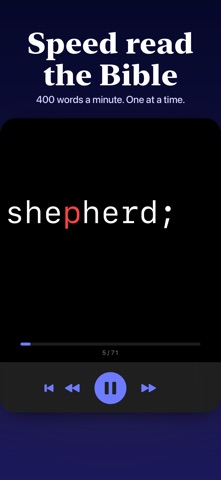
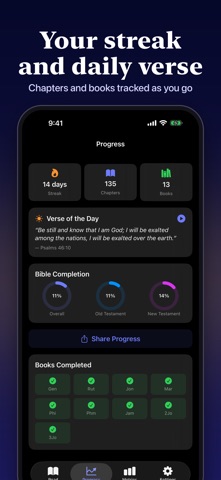
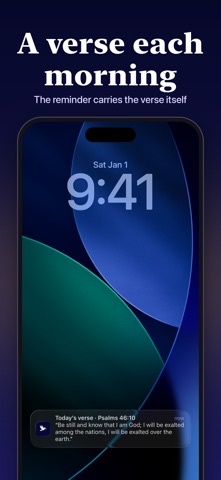
Read the Bible one word at a time, in the center of the screen. Your eyes stay still, your mind stays on the verse, and you set the pace, from 100 to 1,200 words a minute. Each word is anchored on one highlighted letter, so you take it in without scanning the line. At 300 words a minute, an average chapter of John takes about three minutes. SmartFlow pauses where the text does: briefly at commas, longer at sentence ends and paragraph breaks, and a beat more on long words and numbers. Choose Subtle, Natural or Deliberate. Warm-up eases you from a gentle start speed up to your target over a few seconds, so you never begin at full speed. When a chapter ends you see your pace for that session, and the next chapter is one tap away. Close the app mid-chapter and it reopens on the word where you stopped. 26 translations in 22 languages are stored on your device, so you can read offline. English readers start with the Berean Standard Bible, with the KJV, WEB and ASV a tap away. Others include Reina-Valera 1909, the Russian Synodal, the Menge-Bibel, 和合本, 口語訳 and 개역성경. Also in the app: • A verse of the day, and an optional reminder at the time you choose that shows that day's verse. Tap it to start reading. • Your streak, chapters read, and progress through the Old and New Testaments. • Charts of words read per day and your reading speed over time. • Six highlight colors, four fonts and adjustable word size. • On Mac, the space bar plays and pauses and the arrow keys skip. Previously named RSVP Bible. Terms of Use (EULA): https://www.apple.com/legal/internet-services/itunes/dev/stdeula/ Privacy Policy: https://mahanticorp.vercel.app/rsvp-bible/privacy-policy
What's new · 1.0.39
Made for bigger screens: on iPad and iPhone Duo, books and chapters sit in a sidebar beside the reader, and the reader adapts around the fold. At the end of a chapter, Share now sits right beside the next-chapter button.
Details