

Swim Coach Toolkit
Bradford Wilder · Sports
Independent analytics for this App Store listing. AppTracker is not affiliated with Bradford Wilder.
Chart standing · US
What changed · US
Listing changes AppTracker has observed for this app in this storefront — new versions, price moves, rating shifts, and store copy.
1.) Ability to upload or snap a picture of a practice and automatically convert to text. 2.) Age Group Specific Entries now only show athletes of that age group 3.) Japan Web-SWMSYS Entry CSV/PDF Entry Export 4.) SPLASH, Thailand, Guam HyTek CSV Entry Export
Ratings breakdown · US
The star breakdown behind this app's rating in this storefront.
In-app purchases · US
No in-app purchases.
Screenshots


About
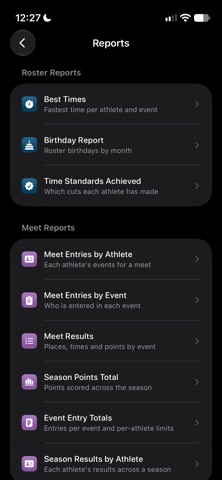
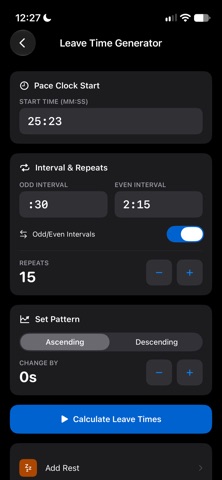
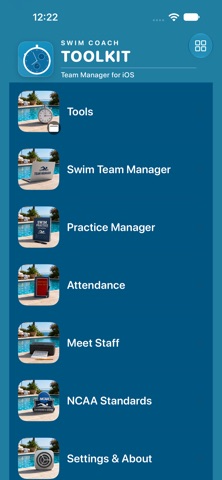
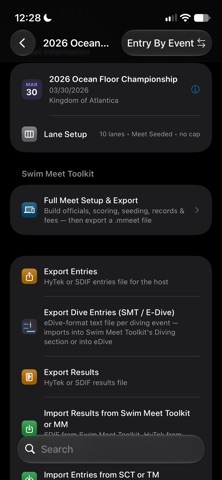
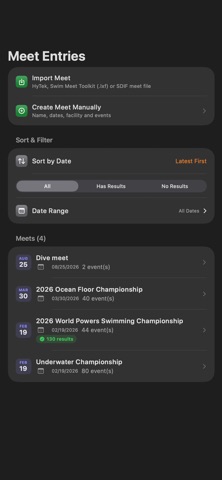
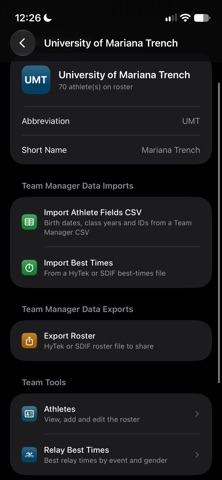
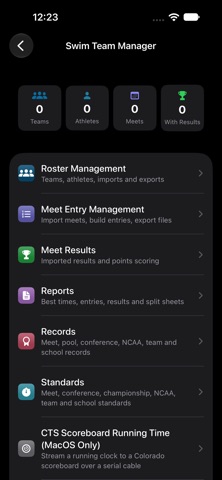
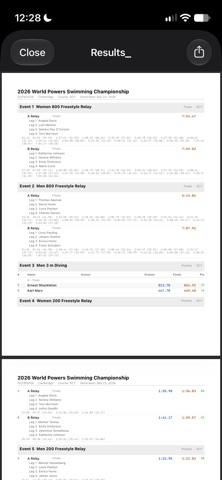
Leave your HyTek Team Manager Windows Device at the pool? Want to make edits to your lineup on the bus? Or want to get a jump start on your team's entries instead of doomscrolling during your athletics meeting? The Swim Coach Toolkit takes care of this all for free. Roster & Athlete Management — Import rosters directly from Hy-Tek Team Manager via ZIP, iCloud Drive, OneDrive, or Google Drive. Store athlete profiles, class years, graduation years, USSID numbers, and event best times. Meet Entry — Import meet ZIP files from any cloud location or local storage. Enter individual and relay entries, assign heat and lane assignments, and export entries back to Team Manager format. Full Dive Entries for E-Dive with export Dive List entry, contains a picker with searchable dive list. Meet Results — Import results from Hy-Tek Meet Manager. View results by event or by athlete with place, time, splits, and calculated points. Choose from NCAA or NFHS scoring formats — championship or dual meet — and recalculate points any time. Ability to upload or snap a picture of a practice and automatically convert to text. Age Group Specific Entries now only show athletes of that age group Japan Web-SWMSYS Entry CSV/PDF Entry Export SPLASH, Thailand, Guam HyTek CSV Entry Export Practice Generator, Practice Editor, Practice Writer. - Active Yardage calculations, Attendance with editable attendance codes and suite of reports Time Standards & Team Records — Create custom standard sets (conference cuts, school A-standards) with rapid numpad entry. The event list auto-advances as you go so you can enter an entire set in under a minute. Store program records by event, gender, and type with holder names, dates, and meet details. REPORTS — All exportable as print-ready PDFs Best Times — roster-wide personal records by event and gender Meet Entries by Athlete — complete entry card for every swimmer Meet Entries by Event — full heat sheet by event Meet Results — formatted results with splits and points column Season Points Total — individual scoring across multiple meets and a full season date range Event Entry Totals — entries-per-athlete summary against meet limits Time Standards Achieved — every athlete who has hit a custom standard or NCAA D1, D2, or D3 cut, with their best time alongside the qualifying mark Birthday Report — roster sorted by upcoming birthday BACKUP & RESTORE — Full data backup exports to a single .swimbackup file. Restore on any device, with a choice of merge or full replace. Cloud storage is fully supported for all imports. Hy-Tek Team Manager and Meet Manager file formats (.HY3, .CL2, .ZIP) are supported throughout. OTHER COACHING TOOLS Precision Stopwatch — Split every swimmer in real time. Lap times are saved automatically so you can review every split after practice. Leave Time Generator — Enter your interval and the number of repeats, and the app calculates every departure time for the set. Supports pace clock starts, odd/even intervals, set patterns, and automatic rest calculation. Race Pace Calculator — Work backward from a goal time to see what split the swimmer needs to hold, or project a final time from a known split. Covers every standard distance from 50 to 1650 yards. Swim Course Converter — Convert times between SCY, SCM, and LCM instantly. Includes NCAA Division I equivalency calculations when converting from meters. NCAA Standards — The full 2026–27 qualification standards for Division I, II, and III — men's and women's — always available offline. 2025-2026 standards available for comparison.
What's new · 31.9
1.) Ability to upload or snap a picture of a practice and automatically convert to text. 2.) Age Group Specific Entries now only show athletes of that age group 3.) Japan Web-SWMSYS Entry CSV/PDF Entry Export 4.) SPLASH, Thailand, Guam HyTek CSV Entry Export
Details