

Videk Director
Andrei Nevar · Photo & Video
Independent analytics for this App Store listing. AppTracker is not affiliated with Andrei Nevar.
Chart standing · US
What changed · US
Listing changes AppTracker has observed for this app in this storefront — new versions, price moves, rating shifts, and store copy.
• Videk Director for Mac — now a native Mac app with a Mac toolbar, menus and windows. • Virtual Camera (Mac) — use your live program output as a camera in FaceTime, Zoom, Discord or OBS. • Program Output window (Mac) — a clean, full-window program feed for screen sharing, external displays or capture. • Lossless audio recording — recordings keep a bit-for-bit 24-bit WAV of your selected audio source, including USB audio interfaces on a camera iPhone. • Audio processing — compressor, limiter and output level for the live stream. • Better streaming — YouTube-ready constant bitrate, higher bitrates up to 4K, Adaptive Bitrate, HEVC to YouTube and secure RTMPS. • DaVinci Resolve export — every camera angle plus your live edit, straight onto a Resolve timeline (Pro). • Share a session with cameras in one tap, with invite links that pre-fill the session code. • Session thumbnails, a refreshed menu and many fixes.
In-app purchases · US
What this app sells inside itself, grouped by kind and priced for this storefront.
Screenshots





About
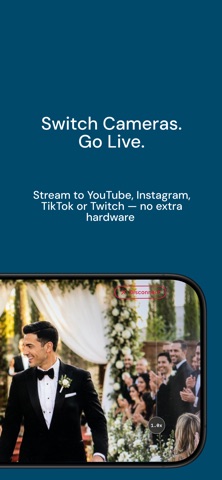
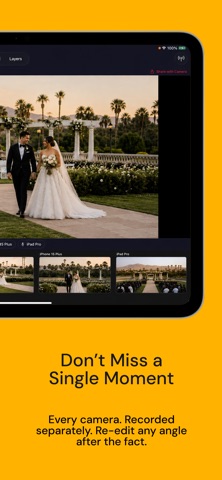
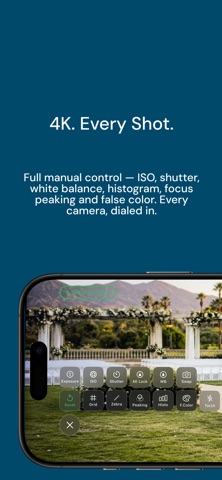
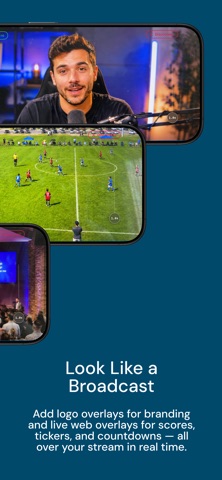
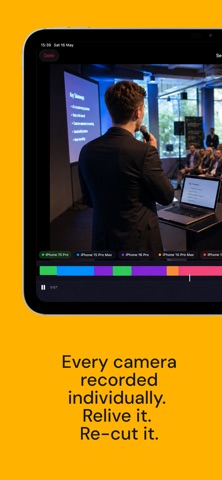
Videk Director is the command center of the Videk multi-camera system - a professional production suite built entirely from your existing iPhones and iPads. Pair with the free Videk Camera app (installed on any iPhone or iPad you want to use as a camera source), and you have a fully controllable multi-camera studio in your pocket. No dongles, no capture cards, no extra hardware. Just your Apple devices and a Wi-Fi network. CONTROL ALL YOUR CAMERAS FROM ONE DEVICE See every connected camera in a live grid and tap to switch your program source instantly. Monitor all feeds in real time with decoded H.264 video. Choose which camera's microphone is active - or use the Director device's own mic. LIVE OVERLAYS Add text and image overlays to your program output in real time. Import PNGs or animated GIFs from your photo library, drag to position, pinch to scale, rotate freely, and adjust opacity. Overlays persist across sessions so your branded graphics are always ready. SESSION RECORDING - RECORD EVERYTHING, EDIT LATER Record all camera sources simultaneously as individual video tracks. The Director tracks which camera you selected at every moment. After your shoot, review the full multi-track session, change camera selections in the timeline, and export a finished MP4 — all without leaving the app. LIVE STREAMING VIA RTMP Stream directly to YouTube, Twitch, Instagram, TikTok, or any custom RTMP destination. Choose 720p, 1080p, or 4K output with H.264 or HEVC encoding. Adaptive bitrate keeps your stream stable even as network conditions change. VIDEO COMPOSITING Built-in GPU-accelerated compositor with multiple layout modes: single camera full-screen, side-by-side, or a full multi-camera grid - all with Metal-accelerated rendering and aspect-ratio-preserving letterboxing. ZERO CONFIGURATION NETWORKING Devices discover each other automatically over your local Wi-Fi via Bonjour. No internet required. Your video never leaves your network unless you explicitly stream it out. Share a 6-digit session code with each Camera device and you're live in seconds. REQUIRES VIDEK CAMERA Videk Director works as part of the Videk two-app system. Install Videk Camera (free, separate download) on every iPhone or iPad you want to use as a camera source. PERFECT FOR: • Live events - concerts, conferences, ceremonies • Content creation - YouTube, podcasts, tutorials • Weddings and celebrations • Sports and performances • Houses of worship • Education and lectures • Real estate walk-throughs TECHNICAL SPECS: • Requires iOS 17.0 or later • Output: up to 4K at 60 fps • Streaming: RTMP to YouTube, Twitch, Instagram, TikTok, or custom server • Recording: MP4 per-source tracks with editable timeline • Video: H.264 or HEVC with adaptive bitrate • Audio: 64–320 kbps, selectable source • Networking: Bonjour + custom TCP, local Wi-Fi only PRIVACY: All video processing happens on-device. Camera streams travel only over your local network. No accounts, no sign-ups, no tracking. Your data stays yours TERMS OF USE: https://videk.app/terms
What's new · 1.3
• Videk Director for Mac — now a native Mac app with a Mac toolbar, menus and windows. • Virtual Camera (Mac) — use your live program output as a camera in FaceTime, Zoom, Discord or OBS. • Program Output window (Mac) — a clean, full-window program feed for screen sharing, external displays or capture. • Lossless audio recording — recordings keep a bit-for-bit 24-bit WAV of your selected audio source, including USB audio interfaces on a camera iPhone. • Audio processing — compressor, limiter and output level for the live stream. • Better streaming — YouTube-ready constant bitrate, higher bitrates up to 4K, Adaptive Bitrate, HEVC to YouTube and secure RTMPS. • DaVinci Resolve export — every camera angle plus your live edit, straight onto a Resolve timeline (Pro). • Share a session with cameras in one tap, with invite links that pre-fill the session code. • Session thumbnails, a refreshed menu and many fixes.
Details