

DNS Sinkhole
Christine Martin · Utilities
Independent analytics for this App Store listing. AppTracker is not affiliated with Christine Martin.
Chart standing · US
Screenshots


About
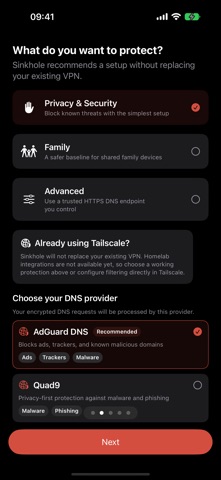
Choose encrypted DNS without replacing your VPN. Sinkhole helps you understand, select, and configure a trusted DNS-over-HTTPS provider on iPhone and iPad. It adds an encrypted DNS configuration for the provider you choose, using the system API iOS provides for this. SIMPLE GUIDED SETUP Choose your goal — privacy and security, family protection, or advanced custom DNS — then follow clear installation steps designed for everyone. CURATED PROVIDERS Compare privacy and security-focused options from established public DNS providers. Depending on your selection, provider-side filtering may cover known malware, phishing, trackers, ads, or adult content. ADVANCED MODE Use a trusted custom HTTPS DNS endpoint from a service you control or configure, including compatible self-hosted resolvers. HONEST STATUS Sinkhole reads its own state from iOS: whether a configuration exists, and whether iOS has it active. It also sends a single DNS test request to confirm the selected endpoint is reachable, and keeps that separate from activation. PRIVACY BY DESIGN • No Sinkhole account • No LorisLabs DNS server • No VPN tunnel and no VPN configuration • No advertising or analytics SDK • No DNS query or browsing history received by Sinkhole Once active, DNS requests go directly from your device to the provider you selected. That provider's privacy policy and filtering behavior apply. Sinkhole cannot see or fabricate per-domain statistics. IMPORTANT iOS asks for your approval before Sinkhole can add a DNS configuration, and only you can select it in Settings > General > VPN & Device Management > DNS. You can switch away or remove it there at any time, without the app. A VPN may choose to override system DNS settings; behavior depends on that VPN.
Details