

Bookshelf: Write & Publish
Norielle Rubillar · Productivity
Independent analytics for this App Store listing. AppTracker is not affiliated with Norielle Rubillar.
Chart standing · US
In-app purchases · US
What this app sells inside itself, grouped by kind and priced for this storefront.
Screenshots




About
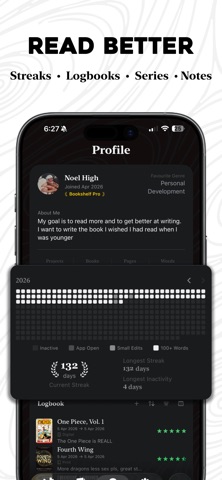
Write Better, Read Better, Plan Better, and Publish Faster Be a better author by becoming a better reader. Bookshelf provides the tools in one place. Whether you're writing your first novel, taking notes on books that matter to you, or both — Bookshelf gives you the structure to think clearly and the space to create freely without any friction. WRITE WITH STRUCTURE Organise your writing into Pages and Groups — a simple but flexible hierarchy that grows with your ideas without getting in the way. Whether you're writing fiction, non-fiction, or just thinking on paper, Bookshelf adapts to how you work. READ WITH INTENTION Every book you read deserves more than a star rating. Bookshelf gives each book its own space for notes, reflections, and quotes — so the things you read actually stay with you. BUILT FOR iOS, MADE TO LAST A native iOS app designed with care — fast, intuitive, and at home on your iPhone and iPad. Your writing and notes sync seamlessly across devices with iCloud, so everything is always where you need it. Mac support COMING SOON WHAT'S INSIDE · Hierarchical writing structure — Books, Pages, Grouped Pages · Reading library with structured notes for every book · iCloud sync across all your devices · Clean markdown editing · Distraction-free writing experience · Export your work to EPUB, PDF, TXT, DOCX, MD BUGS - If user opens a page and then navigates back to settings to change the theme, the screen will go blank. This is a known issue and we are actively working on a way to fix this. However, for now it is just a minor inconvenience. Simply restart the app and it should fix the issue and no progress will be lost. Privacy Policy: https://noelhigh.github.io/bookshelf-site/privacy-policy.html Terms of Use: https://noelhigh.github.io/bookshelf-site/terms-of-use.html
What's new · 1.4.0
- Read straight from your library. The book context menu's "Preview" is now "Read" with an open-book icon — same destination, clearer intent. - Clearer Pro gating. Premium rows in context menus (Export DOCX/EPUB/PDF, Change Cover, premium planner cards) now show a lock icon and are greyed out for free users; they snap back to the normal icon and become tappable when you subscribe. - Plan view stays useful for free users. The + menu always opens — Sources and Drafts can be added straight away; the five premium card types appear locked but visible so it's clear what's available with Pro. - Outline cleanup. Removed the "Place in Group" submenu from group/page context menus. "Move To" remains. - Cleaner subtitle editing. Editing a planner card's subtitle no longer needs the keyboard-dismiss button — just swipe down and it saves. - Richer book exports. DOCX export now includes series info, publisher/ISBN, custom fields, and copyright/dedication/blurb front-matter pages. - Visual polish. Dark mode background nudged off pure black for warmer contrast; grain texture toned down across backgrounds and onboarding.
Details