

WatchDocs: Watch PDF Viewer
Mehmet Ali Demir · Business
Independent analytics for this App Store listing. AppTracker is not affiliated with Mehmet Ali Demir.
Chart standing · US
What changed · US
Listing changes AppTracker has observed for this app in this storefront — new versions, price moves, rating shifts, and store copy.
Two requests from our users, now in the app. • Import photos straight from your gallery: tap Import, choose Photos and pick as many as you like. They arrive in the order you tap them • Add photos and files directly into a folder with the new plus button • Full-screen viewing on the Watch: one tap hides everything, including the back arrow and the time. Tap again to bring the controls back • New imports appear on the home screen right away Thank you for the feedback. Keep it coming from Settings, Contact Us.
Ratings breakdown · US
The star breakdown behind this app's rating in this storefront.
In-app purchases · US
What this app sells inside itself, grouped by kind and priced for this storefront.
Screenshots


About
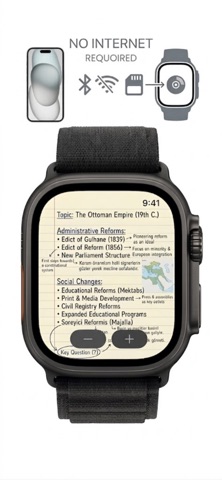
View PDFs on your Apple Watch. WatchDocs is a PDF viewer for Apple Watch. Send a PDF from your iPhone once and read it on your wrist whenever you need it: every page, zoomable, offline, with no phone in hand. PDF ON YOUR WRIST • Every page of the PDF, rendered sharp for the Watch screen • Turn the Digital Crown or double tap to zoom, drag to move around the page • Swipe to turn pages, tap the page counter to jump to any page • Search inside the PDF and jump straight to the matching page • WatchDocs remembers the page you stopped on • Long PDFs open fast: a 200 page document works without slowing down SENDING THAT JUST WORKS • Files transfer in the background and arrive even if you close the app • Progress shows every step and confirms when the PDF has been delivered • Documents are stored on the Watch and open offline, on a flight or underground • Import one file or many at once from the Files app, iCloud Drive or Mail • Auto-send: every new import goes straight to your Watch • Share from any app: tap Share on a PDF in Mail, Safari or Files and pick WatchDocs MORE THAN PDF WatchDocs also opens Word (.doc, .docx), Excel (.xls, .xlsx), PowerPoint (.ppt, .pptx), images (.jpg, .png, .heic), text and Markdown (.txt, .md), CSV and TSV, and Rich Text (.rtf). PDFs, images and text files open with all their pages. Office files open as a quick preview. TICKET MODE If a PDF contains a QR code or barcode, a Show Ticket button appears. Tap it and the code fills the screen on a white background, ready for the scanner at the gate. PIN TO YOUR WATCH FACE Pin one PDF to the WatchDocs complication and open it from the watch face with a single tap. Works in circular, corner, rectangular and inline slots, and in the Smart Stack. FOLDERS Group PDFs into folders on iPhone, drag them into the order you want, and see the same folders on your Watch. ALSO INCLUDED • Favorites and delete on both devices • Share a document to any app from the iPhone • A How to Use guide with a page for every feature • Available in 50 languages PERFECT FOR • Boarding passes, train tickets and hotel confirmations • Lecture notes, slides and formula sheets • Contracts, agendas and checklists in a meeting • Training plans at the gym or on a run FREE AND PRO Importing and reading on iPhone is free. Your first send to the Watch is free. WatchDocs Pro unlocks unlimited sends and auto-send for new files. PRIVACY PDFs are processed on your iPhone and stored on your Watch. Nothing is uploaded to a server. Privacy Policy: https://www.mehmetali.co/privacy Terms of Use: https://www.mehmetali.co/terms
What's new · 1.5
Two requests from our users, now in the app. • Import photos straight from your gallery: tap Import, choose Photos and pick as many as you like. They arrive in the order you tap them • Add photos and files directly into a folder with the new plus button • Full-screen viewing on the Watch: one tap hides everything, including the back arrow and the time. Tap again to bring the controls back • New imports appear on the home screen right away Thank you for the feedback. Keep it coming from Settings, Contact Us.
Details