

Philmm: AI Photo Editor
Mahanti Corporation LLC · Photo & Video
Independent analytics for this App Store listing. AppTracker is not affiliated with Mahanti Corporation LLC.
Chart standing · US
What changed · US
Listing changes AppTracker has observed for this app in this storefront — new versions, price moves, rating shifts, and store copy.
On iPad and iPhone Duo, your photo now sits beside its controls and your darkroom stays open next to the photo you're working on.
Screenshots



About
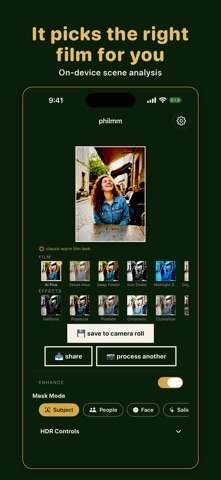
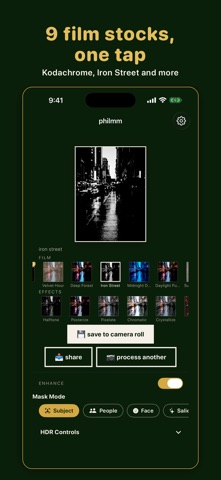
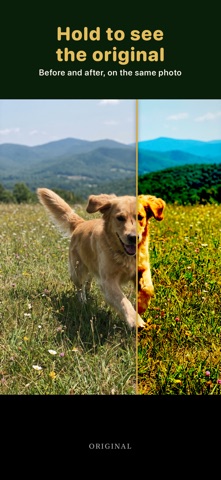
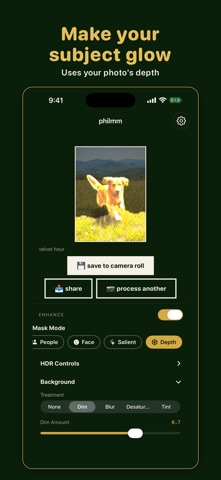
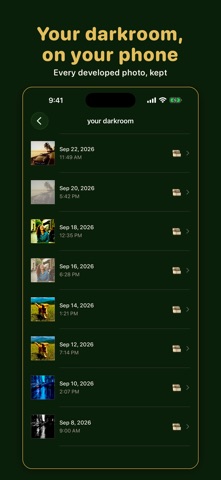
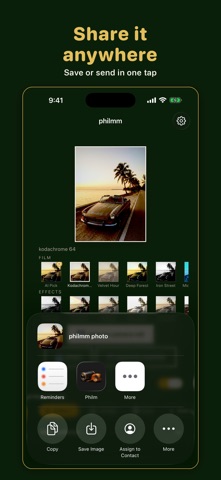
Philm turns an everyday phone photo into a film photograph. Pick one and seconds later it comes back in 9 film stocks and 6 print effects, all rendered on your iPhone. Before it develops, Philm reads the photo on your device with Apple's Vision framework. It finds faces, people and the kind of scene, straightens a horizon that is a few degrees off, evens out exposure, and marks the stock that suits the picture as the AI Pick, with a short note on why. Each stock has its own tone curves, color, grain and vignette: • Kodachrome 64: warm reds and golden skin • Velvet Hour: soft pastel portraits • Deep Forest: deep, saturated greens • Iron Street: gritty black and white • Midnight Drift: teal shadows for night shots • Daylight Punch: vivid primaries, fine grain • Sunbleached: faded film with milky blacks • Reversal: cross-processed greens and yellows • Fried: crushed contrast, loud color The print effects are halftone, posterize, pixelate, chromatic, crystallize and comic. When there is a person in the frame, you also get a version with them lifted off the background. To make one part of the picture stand out, choose the subject, the people, a face or the most eye-catching area. Philm masks it and lets you brighten it and add glow, then dim, blur, desaturate or tint the rest. Tap any result to see it full screen, and press and hold to see the original. Save to Photos or share it from the app. Everything you develop stays in your darkroom, and a Live Activity shows progress while a photo develops. Your photos are processed on your device and never uploaded. Philm also runs on iPad and Mac. Terms of Use: https://www.apple.com/legal/internet-services/itunes/dev/stdeula/ Privacy Policy: https://mahanticorp.vercel.app/philm/privacy-policy
What's new · 1.0.24
On iPad and iPhone Duo, your photo now sits beside its controls and your darkroom stays open next to the photo you're working on.
Details