

Kinsman SSH
James Kinsman · Developer Tools
Independent analytics for this App Store listing. AppTracker is not affiliated with James Kinsman.
Chart standing · US
Ratings breakdown · US
The star breakdown behind this app's rating in this storefront.
In-app purchases · US
What this app sells inside itself, grouped by kind and priced for this storefront.
Screenshots



About
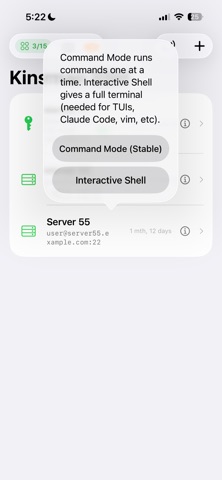
Kinsman SSH is a focused, no-nonsense SSH client for iPhone and iPad. Connect to your servers securely with password or private key authentication. Features: - Save multiple SSH host connections - Password and private key authentication - Import keys via Files, AirDrop, QR code scan, or directly from your Mac over local WiFi - Full interactive terminal with command input - Secure credential storage in Keychain - Universal Clipboard support — copy on Mac, paste in app - Copy terminal output with one tap - Clean, dark terminal interface - Works on iPhone and iPad 5 free connection slots included. Purchase more as needed. Remote Control Pair with Kinsman Terminal on your Mac by scanning a QR code, then drive a terminal tab from your phone — switch and search tabs, send one command to several at once, take a screenshot of the Mac's terminal, and reuse recent commands. Data Bridge Use your iPhone's cellular connection from your Mac when the Wi-Fi you are both on has no working internet. Protected by a PIN, with a live traffic log, block and allow rules, and an optional data cap. Runs only while the app is open. VNC Screen Sharing is available as an in-app purchase.
What's new · 1.1.3
Remote Control — drive your Mac's terminal from your iPhone. Scan a QR code to pair, then connect the fastest way available: same Wi-Fi, Nearby, SSH, or the web. Switch and search tabs, stack several and send one command to all of them at once, grab a screenshot of the Mac's real terminal, and reuse recent commands. Paired Macs are saved and reconnect like any other connection. Data Bridge — share your iPhone's cellular data with your Mac. One tap copies the command to run on the Mac, a 4-digit PIN keeps it yours, and a live traffic log shows what is going through — with block and allow rules for anything you would rather it did not. VNC Screen Sharing is now available as an in-app purchase. In Remote Control's Web tab, a new "What is this?" explains what the Server URL is and how the relay works, and you can now clear a saved server address in one tap. Fixes: a crash on launch, a blank screen after scanning the pairing QR code, and the Send button going dead on stale tabs.
Details