

Universal Remote™ -TV Control
VISONXY LIMITED · Utilities
Independent analytics for this App Store listing. AppTracker is not affiliated with VISONXY LIMITED.
Chart standing · US
What changed · US
Listing changes AppTracker has observed for this app in this storefront — new versions, price moves, rating shifts, and store copy.
- Optimized compatibility with Google Cast and multi-brand TV protocols, now supporting Hisense, Onn, TCL and more. - Improved device pairing for faster and more stable connections. Thank you for using our app! If you enjoy it, please leave a positive review. For questions, feedback or feature suggestions, contact us at support@jywfx.cn.
Price & rating history · US
Reconstructed from the listing changes AppTracker has observed in this storefront. A field is charted once it has changed more than once, and each line starts at the value it moved from.
Average rating · ★ 4.63 now · 6 changes on record
Ratings breakdown · US
The star breakdown behind this app's rating in this storefront.
In-app purchases · US
What this app sells inside itself, grouped by kind and priced for this storefront.
Screenshots



About
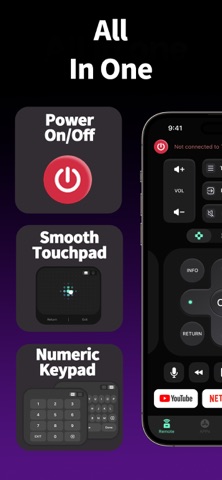
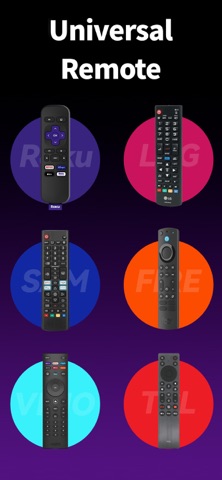
Universal TV Remote for Roku* is your ultimate all-in-one smart controller, screen mirroring, and media casting assistant. Turn your iPhone into a powerful universal TV remote and never search for a lost physical remote again. WHY YOU'LL LOVE IT: One Universal Remote for Everything Control your Roku TV, Samsung, LG, Sony, Vizio, TCL, Hisense, and more directly from your phone. Whether you use an Amazon Firestick, Fire TV, or Android TV, simply connect to the same Wi-Fi network, and your phone instantly becomes a fully functional smart controller. Simple Setup, Instant Connection No infrared blaster or pairing codes needed. Open the app, and it automatically detects your smart TV over Wi-Fi for an instant connection. Advanced Screen Mirroring & Cast - Screen Mirroring: Mirror your phone screen to the TV in real-time — ideal for presentations, gaming, and sharing memories. - Media Casting: Cast photos, play family videos, or stream music from your phone to the big screen. Full Control at Your Fingertips - Complete Remote Functions: Easily adjust volume, switch channels, power on/off, and navigate menus. - Touchpad Mode: Browse menus smoothly using laptop-style touchpad navigation. - Quick Keyboard Input: Type searches and passwords with your phone's keyboard — so much faster than on-screen TV keyboards. - Voice Search: Find your favorite shows and movies using quick voice commands. - One-Tap App Launch: Open streaming apps like YouTube, Netflix, Hulu, and others directly from the remote interface. SUPPORTED TV BRANDS & DEVICES Roku TV & Streaming Players, Samsung, LG, Sony, Amazon Fire TV & Firestick, TCL, Hisense, Vizio, Sharp, RCA, Toshiba, Philips, Panasonic, Insignia, Element, and more. HOW IT WORKS 1. Make sure your iPhone and TV are connected to the same Wi-Fi network. 2. Open the app — it will automatically scan and find your TV. 3. Select your TV brand and start controlling instantly. DISCLAIMER This app is a third-party tool and is not affiliated with, endorsed by, or associated with Roku, Samsung, LG, Sony, Amazon, or any other TV brands listed above. SUBSCRIPTION INFO Some features require a premium subscription. Payment will be charged to your iTunes account at confirmation of purchase. Subscriptions renew automatically unless canceled at least 24 hours before the end of the current period. Manage or cancel subscriptions anytime in your iTunes account settings. Privacy Policy: http://urc.visonxy.com/#/privacy Terms of Use: http://urc.visonxy.com/#/agreement Need help? Contact us at: support@jywfx.cn
What's new · 1.0.7
- Optimized compatibility with Google Cast and multi-brand TV protocols, now supporting Hisense, Onn, TCL and more. - Improved device pairing for faster and more stable connections. Thank you for using our app! If you enjoy it, please leave a positive review. For questions, feedback or feature suggestions, contact us at support@jywfx.cn.
Details