

Mircules Markdown Viewer
Mircules · Productivity
Independent analytics for this App Store listing. AppTracker is not affiliated with Mircules.
Chart standing · US
What changed · US
Listing changes AppTracker has observed for this app in this storefront — new versions, price moves, rating shifts, and store copy.
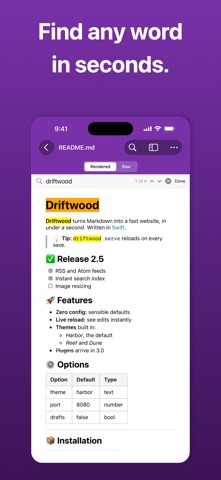
What's new in 1.1: · Select and copy text freely, from a single word to the whole document · Better-looking PDF export: real pages, clean tables, and bookmarks for every heading · Search now highlights matches in the formatted view · A fresh new look in the App Store · Small improvements and fixes
In-app purchases · US
No in-app purchases.
Screenshots



About
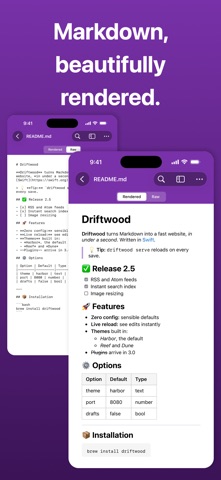
See your Markdown the way it's meant to look. Open any README, note or doc and get a clean, formatted page: headings, tables, checklists and code, without the clutter. Jump anywhere with the outline, find any word, and export to PDF when you need to share. Built for developers, technical writers, and anyone who regularly opens README files or documentation and wants something better than a plain text editor. WHAT IT DOES · Renders GitHub Flavored Markdown — headings, tables, code blocks, task lists, blockquotes, links, and web images · Table of contents — auto-generated from your headings, tap to jump to any section (side panel on iPad, sheet on iPhone) · Raw source view — Markdown source, read-only · Full-text search — with match counter and navigation · Export to PDF — share your document as a formatted, print-ready PDF · Refresh — reload after editing in another app · Recents — your recently opened documents one tap away WHAT IT DOESN'T DO This is a viewer, not an editor. It opens files you already have and presents them clearly. Supports .md, .markdown, .mdown, and .mkd files. Open Markdown files from the Files app or other apps.
What's new · 1.1
What's new in 1.1: · Select and copy text freely, from a single word to the whole document · Better-looking PDF export: real pages, clean tables, and bookmarks for every heading · Search now highlights matches in the formatted view · A fresh new look in the App Store · Small improvements and fixes
Details